
Settings : Edit Company Profile & Capabilities
Edited
Here's how to keep your business details and operating capabilities current.
Step 1 — Open Settings → Company
Update your business logo, business name, website, full business address, and EIN, then click Update. Your business phone number is read-only here because it's verified and used for messaging with Members — change it on the My Profile tab instead.
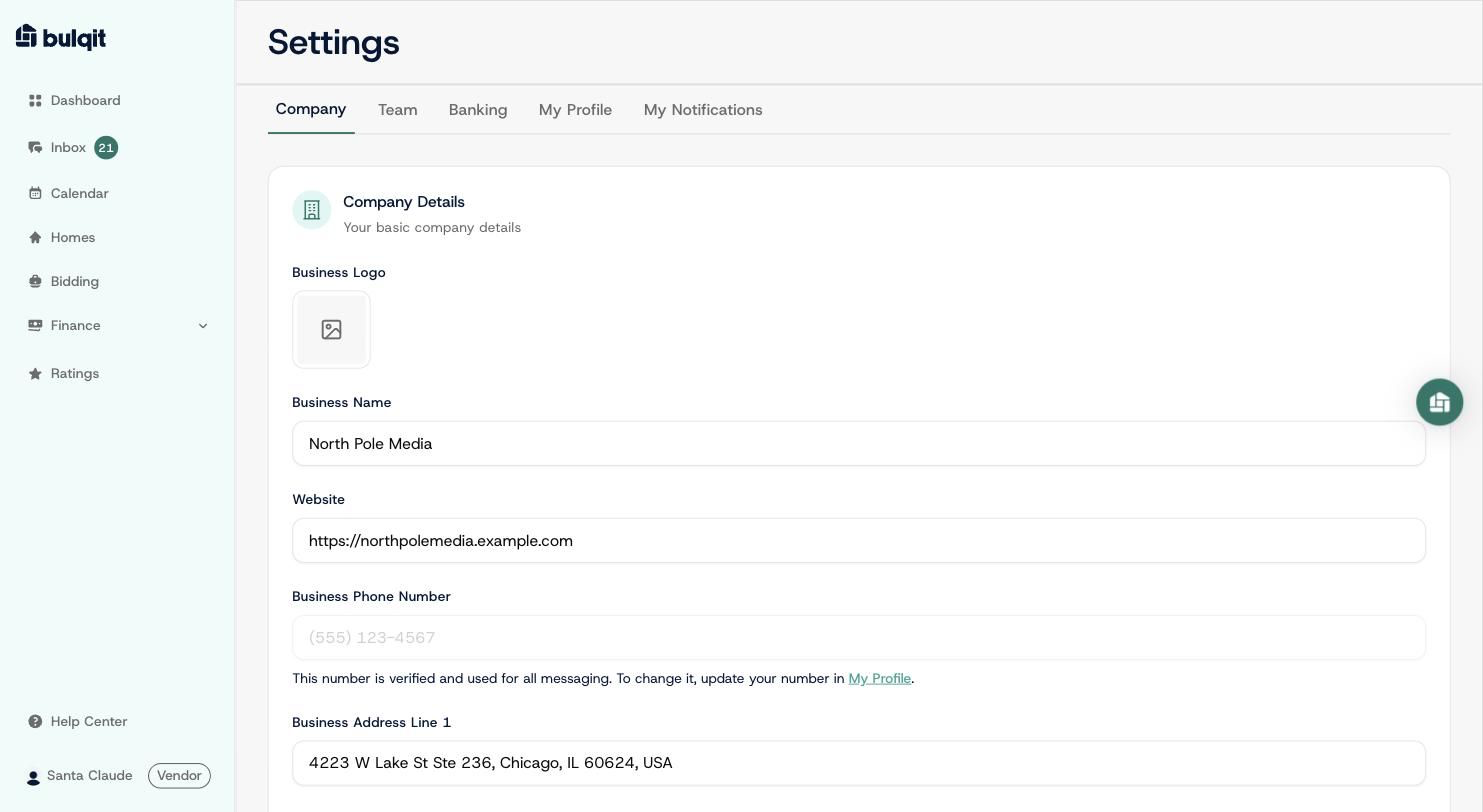
Company Details tab with the Website field filled in
Step 2 — Scroll to Capabilities, edit and click Update
Capabilities tell us what your business is set up to do — whether you hold a business license, carry insurance, and so on. These drive which opportunities you're eligible to bid on, so keep them accurate. Toggle what's changed and click Update to save.
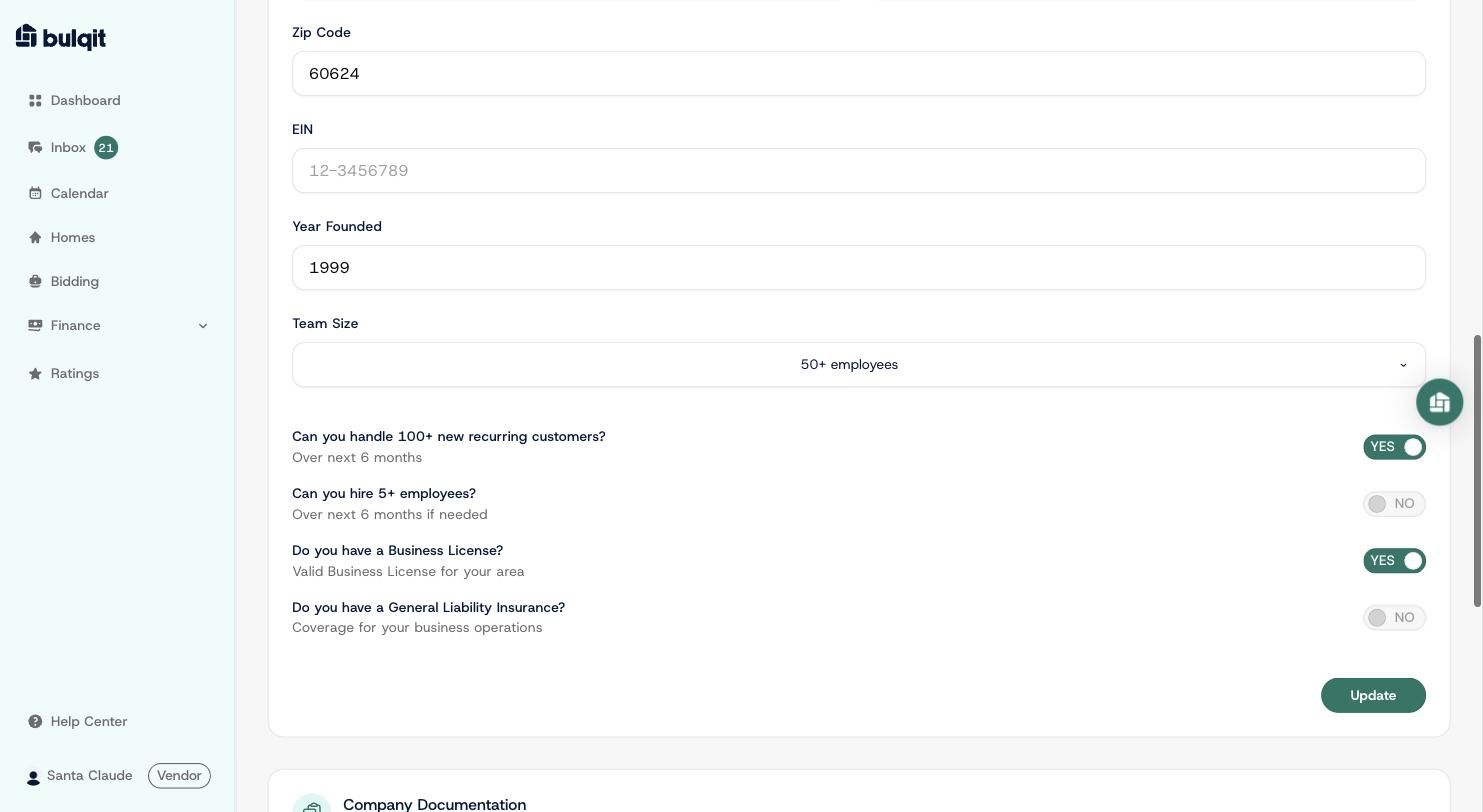
Capabilities toggles with Business License switched to YES, saved