
Settings : Manage Team Members
Here's how to invite teammates to help run your Bulqit account.
Step 1 — Open Settings → Team, click "Add New"
Fill in your teammate's first name, last name, email, and phone number, then choose a role:
• Owner gives full access, including banking, compliance documents, and bidding.
• Admin is the same as Owner, with restrictions on financial information
• Field Staff gives access to schedules, jobs, Member information and communication.
The role defaults to Owner, so change it deliberately. Owner access includes your payout account.
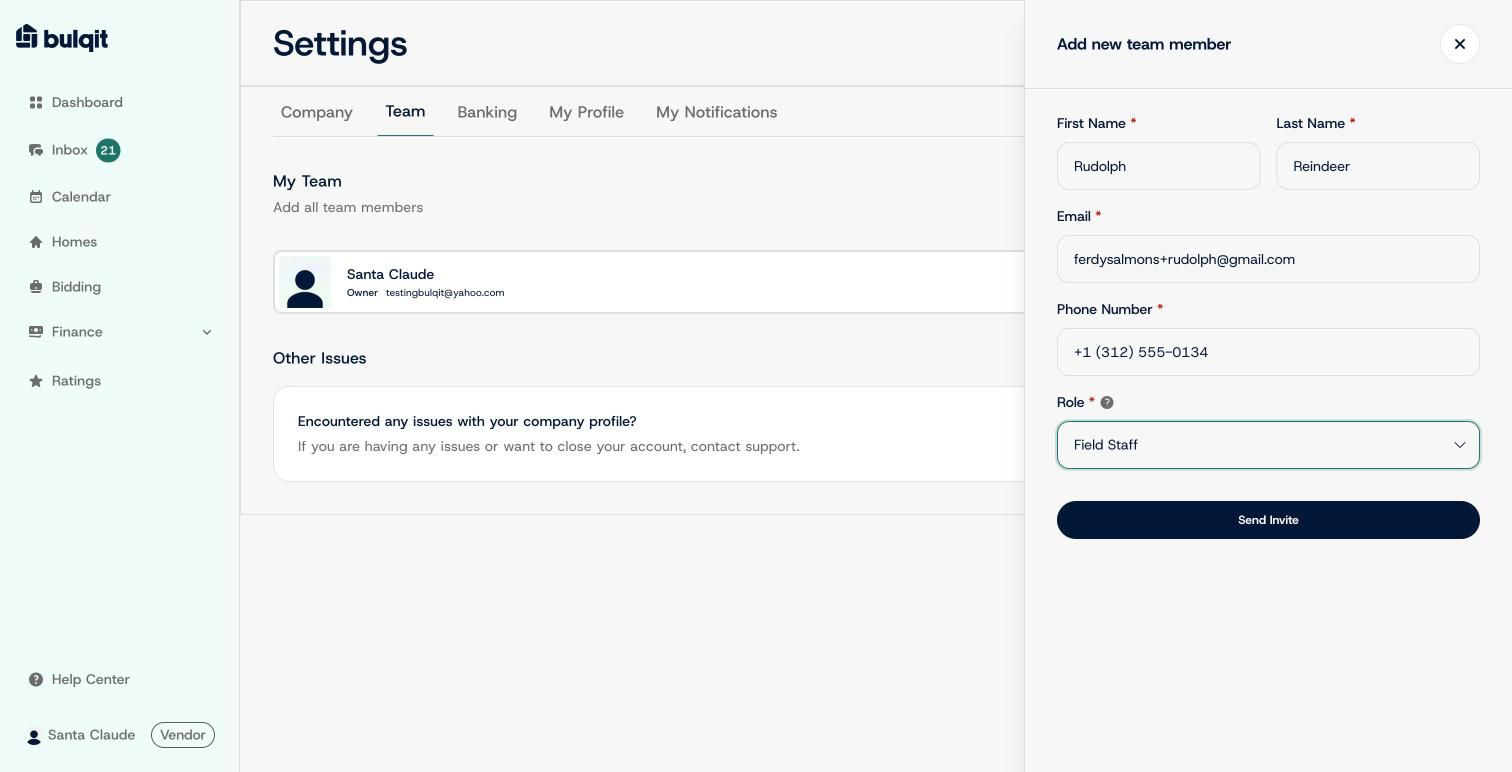
Add new team member panel filled in with a Field Staff invite
Step 2 — Click "Send Invite"
You'll see an "Invitation Queued" confirmation with a copyable link you can send yourself if needed. Your teammate appears on the team list right away with an "Invited" badge, which clears once they accept and set up their login.
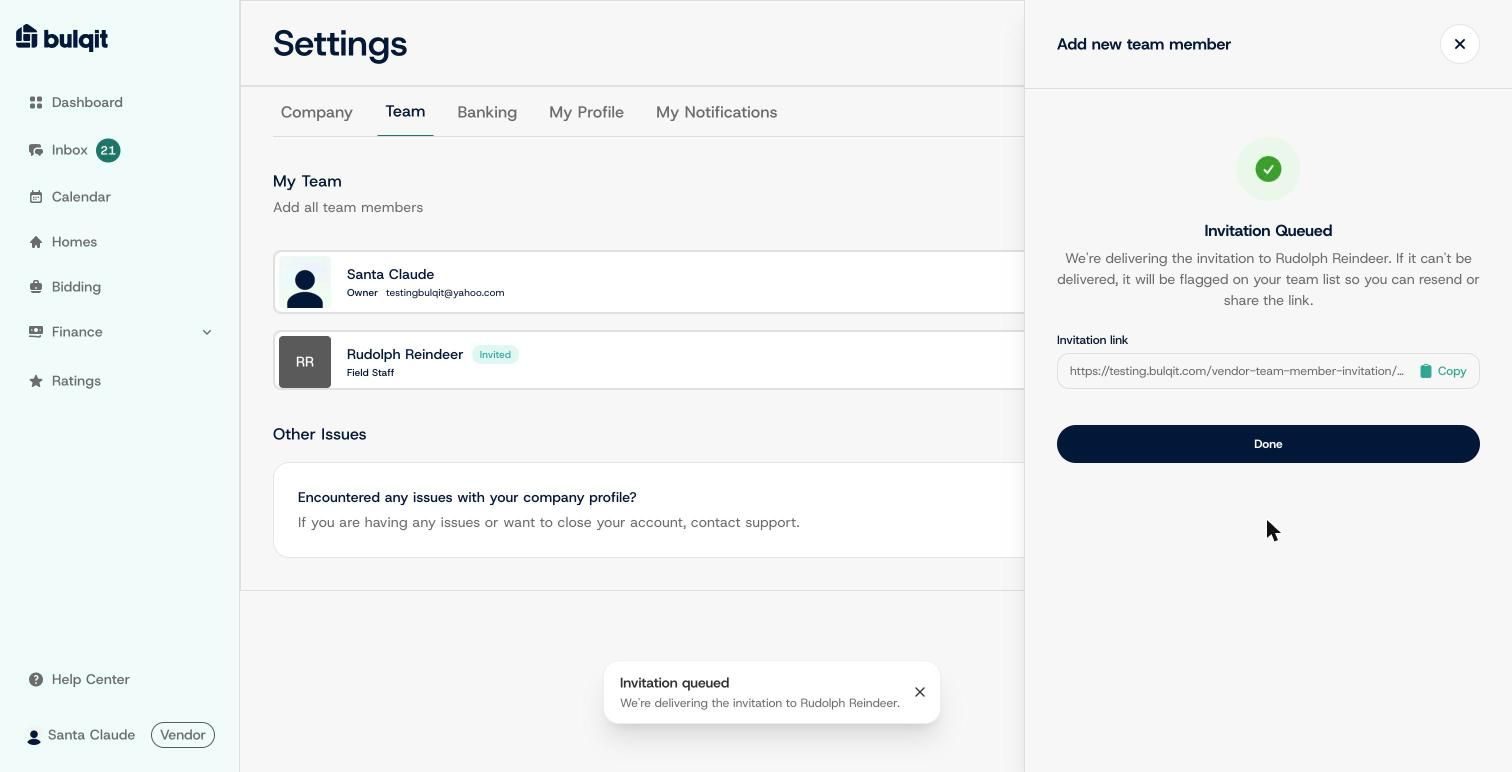
Invitation Queued confirmation with a copyable link, new member showing as Invited