
Settings : Connect Bank Account for Payouts
Here's how to connect the bank account where your Bulqit earnings land.
Step 1 — Open Settings → Banking
Click Get Started to connect your bank account through Stripe, our payments partner, and receive ACH payouts. It takes a few minutes. By continuing, you agree to Bulqit's Vendor Platform Agreement.
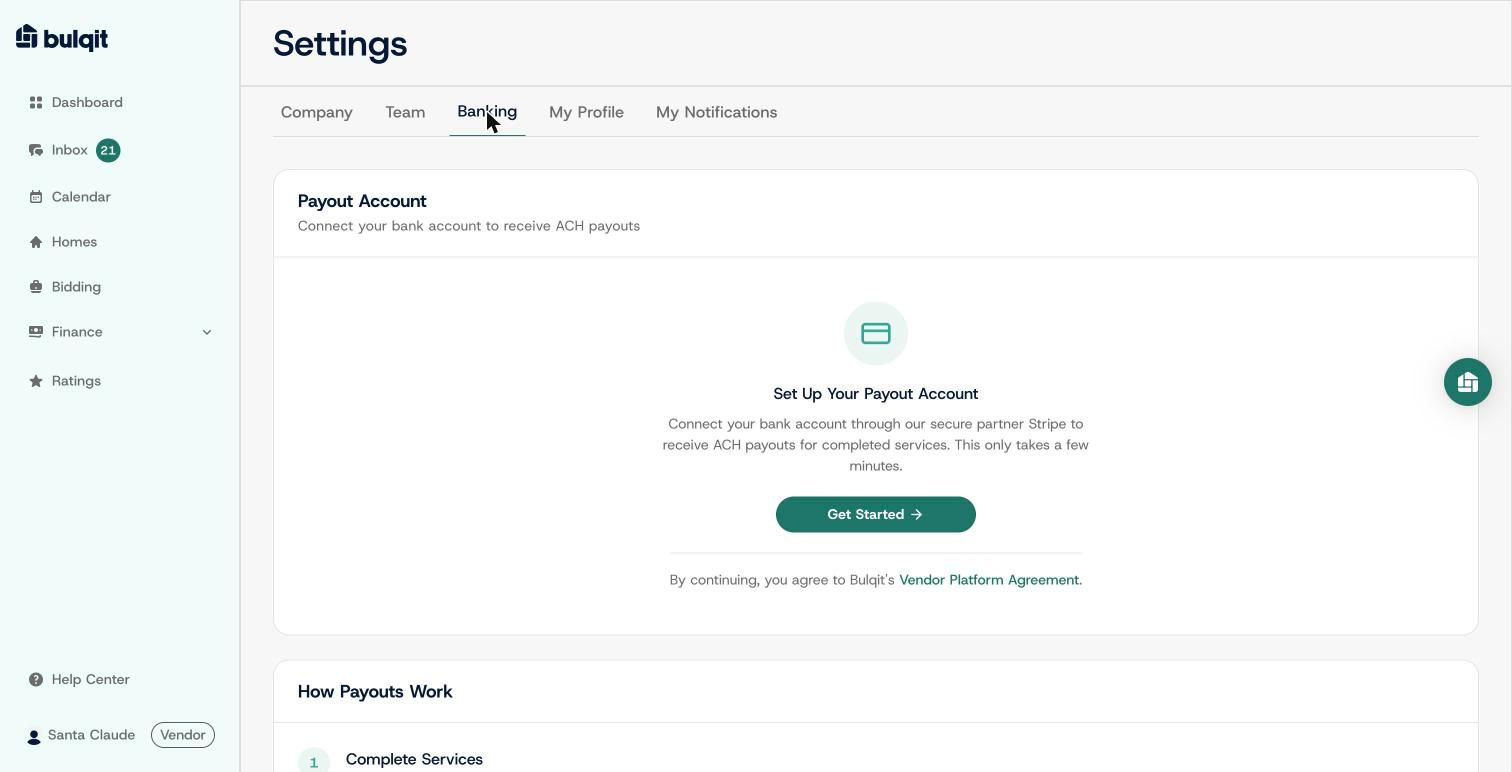
Payout Account card with the Get Started button
Step 2 — Click "Get Started" and follow Stripe
From here you're on Stripe's own secure onboarding, not a Bulqit form. You'll verify a phone number, enter your business details (legal name, EIN, address, phone, website), verify the account representative's personal details (name, date of birth, home address, and the last four of their SSN), and link your payout bank account.
Stripe collects this to satisfy federal identity verification requirements for payment processing. Bulqit never sees or stores it.
Step 3 — Review and submit on Stripe
Stripe shows a final review screen summarizing your business, personal, and payout sections. Each section stays marked "Incomplete" until every required field is filled. Click "Agree and submit" to finish; that's Stripe's step, not Bulqit's.
Returning to Bulqit doesn't always mean payouts are live. If Stripe still needs something, your account comes back "Restricted" and the Banking tab shows an "Update Information" button. Click it to go back to Stripe and finish what's outstanding.
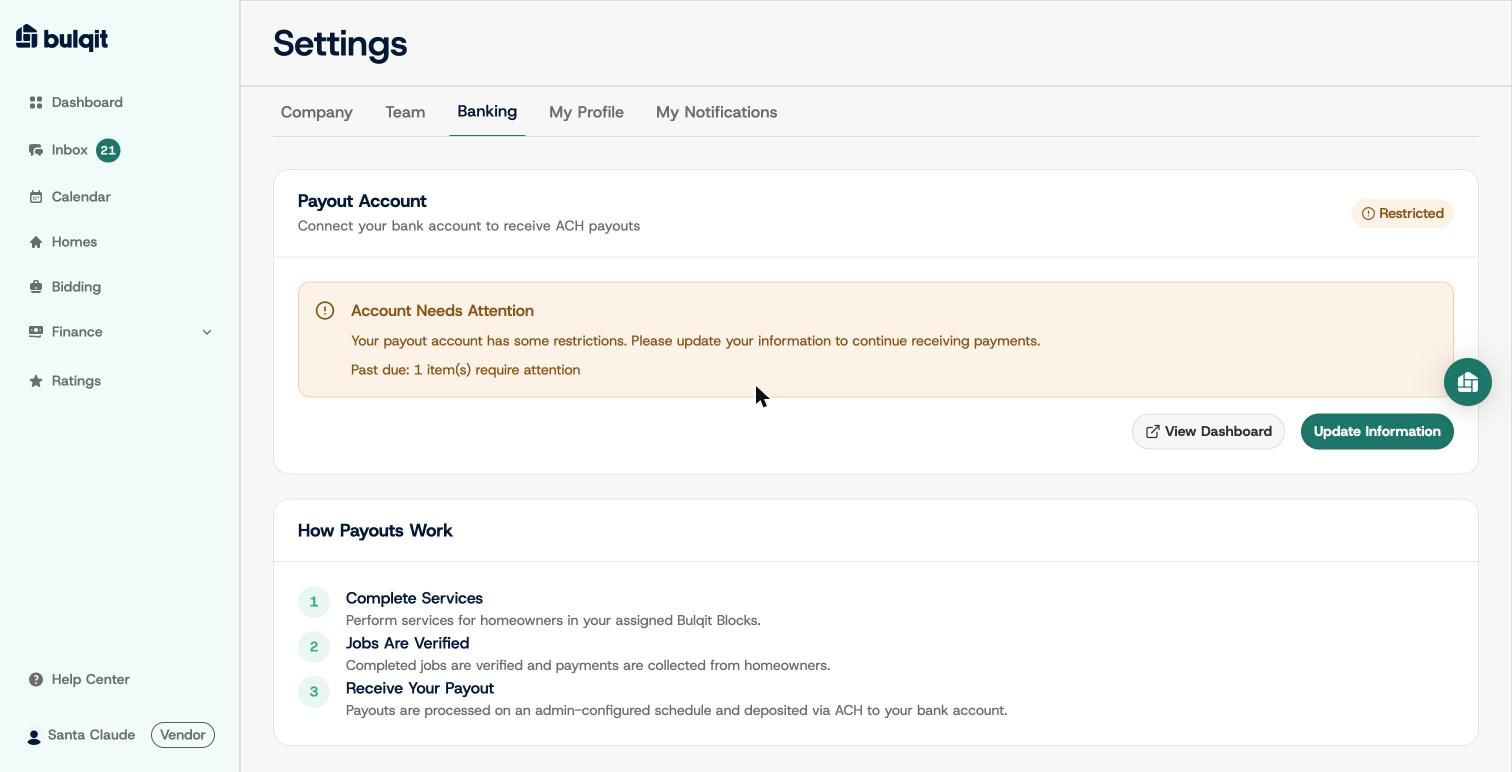
Payout Account: Restricted state with an Account Needs Attention banner