
Bidding : Submit a Bid on an Open Opportunity
Here's how to bid on an open service opportunity in a Block.
Step 1 — Open Bidding → Open Bids
Every opportunity currently accepting bids shows here. Each card gives you the Block name, the service, a countdown showing how long you have to bid, the number of interested Members, the service frequency, and the unit count that drives your pricing. Total Trash Bins for Trash Bin Cleaning, for example.
Step 2 — Click "Submit Bid"
A drawer opens where you enter your rate. If any interested homes are missing the unit data your pricing depends on, an "Incomplete Data Warning" appears. Those homes are excluded from the calculated total for now, and they'll be added at your bid rate once the data is on file. You can still submit.
Step 3 — Enter your rate and click "Continue"
You're entering a single per-unit rate; Cost Per Bin, for example. That rate applies to every Member in the Block, including Members who join after you win. Price for the Block, not for the homes you can see today.
Step 4 — Review the bid breakdown
The breakdown shows your Subtotal, the Credit Card Fee, the Bulqit Share, and Your Revenue, all on a per-unit basis, along with the service, the frequency, and the term. The Vendor Platform Agreement and Service Agreement are linked at the bottom. Read them before you continue.
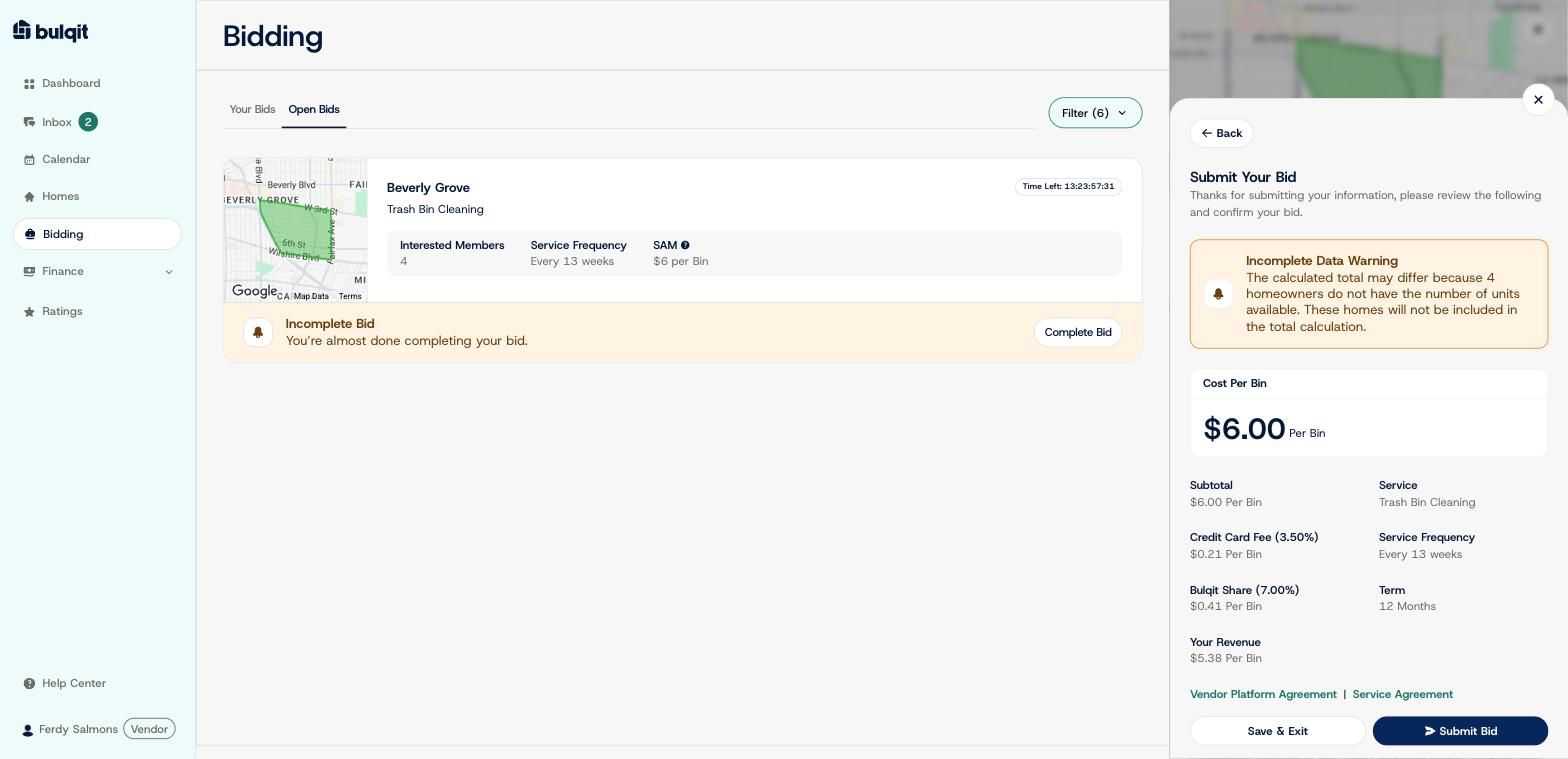
Step 5 — Click "Submit Bid"
You'll see a confirmation that we've received your bid. If you win, you'll have a separate 48 hours to accept the contract.
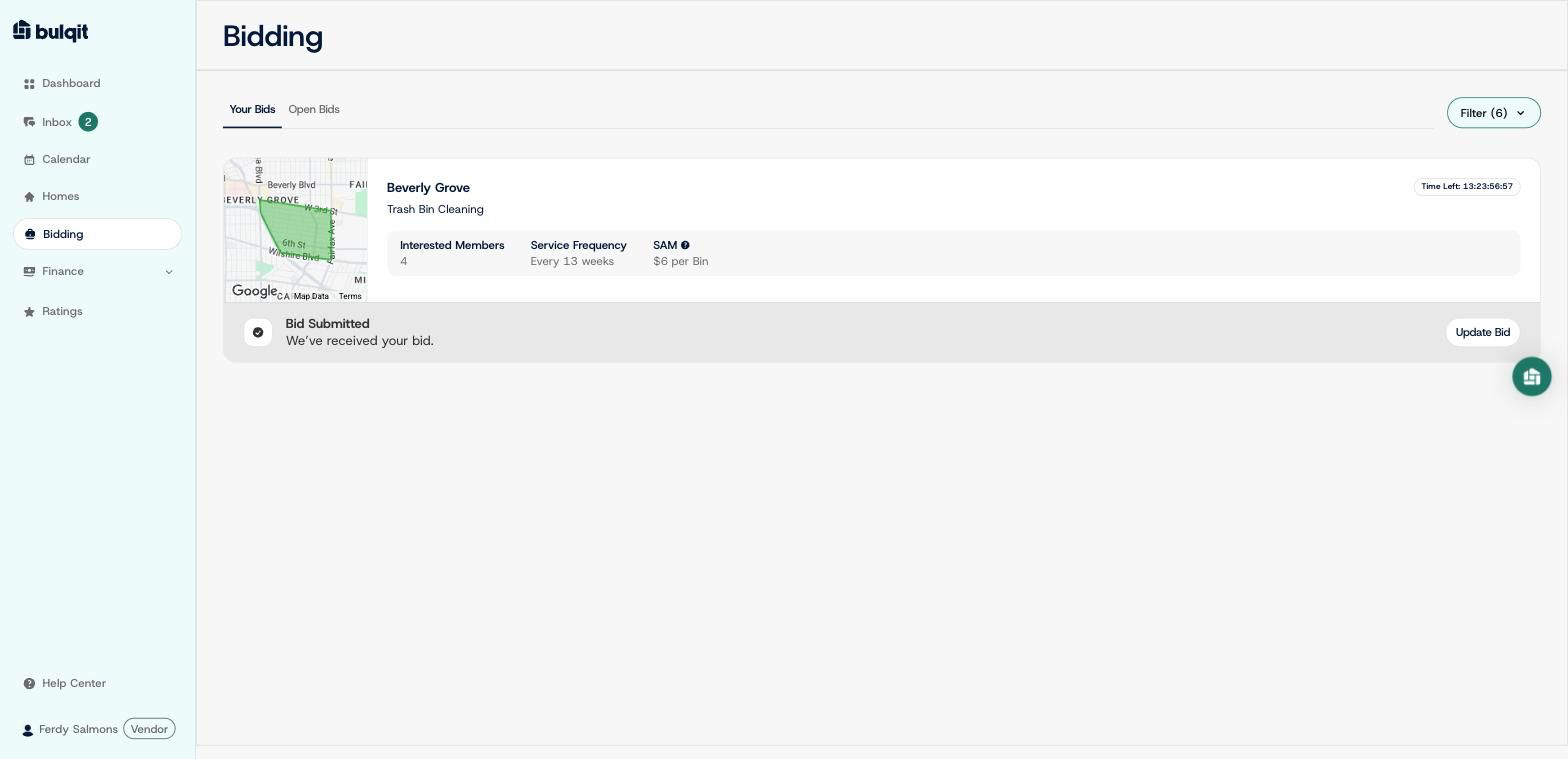
Your bid now shows on Bidding → Your Bids as "Bid Submitted," with an "Update Bid" option if you want to change your rate before the round closes