Bidding : Revise a Bid (Best & Final Round)
Edited
Here's how to revise your rate when you've been invited to a Best & Final round.
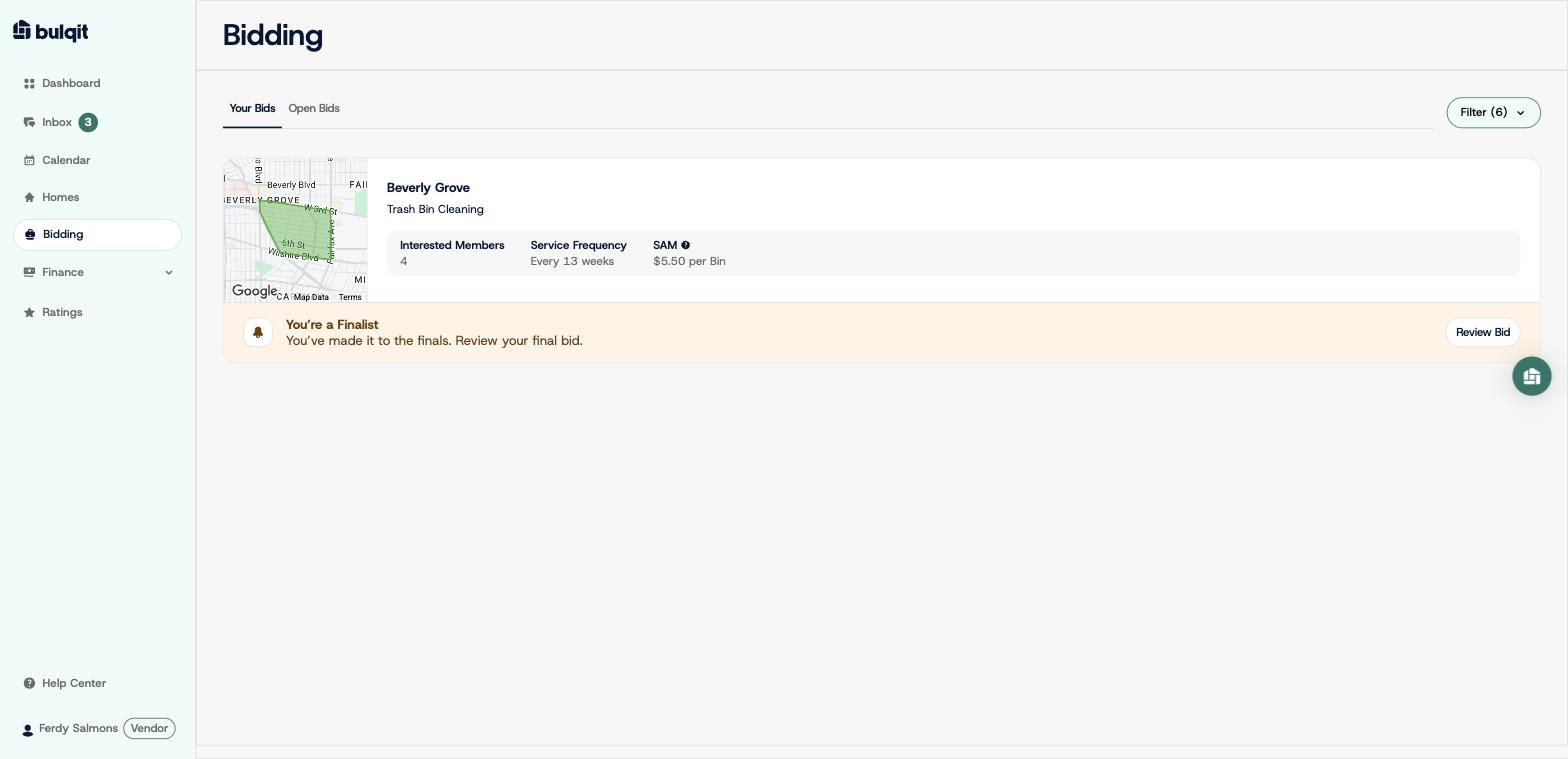
Step 1 — Open Bidding → Your Bids
When the field narrows to top bidders, your card updates to "You're a Finalist" with a "Review Bid" button. You'll also be notified by email or SMS depending on your notification preferences.
Step 2 — Click "Review Bid" and enter your final bid
This opens the same drawer you used for your original bid. Enter your revised per-unit rate.
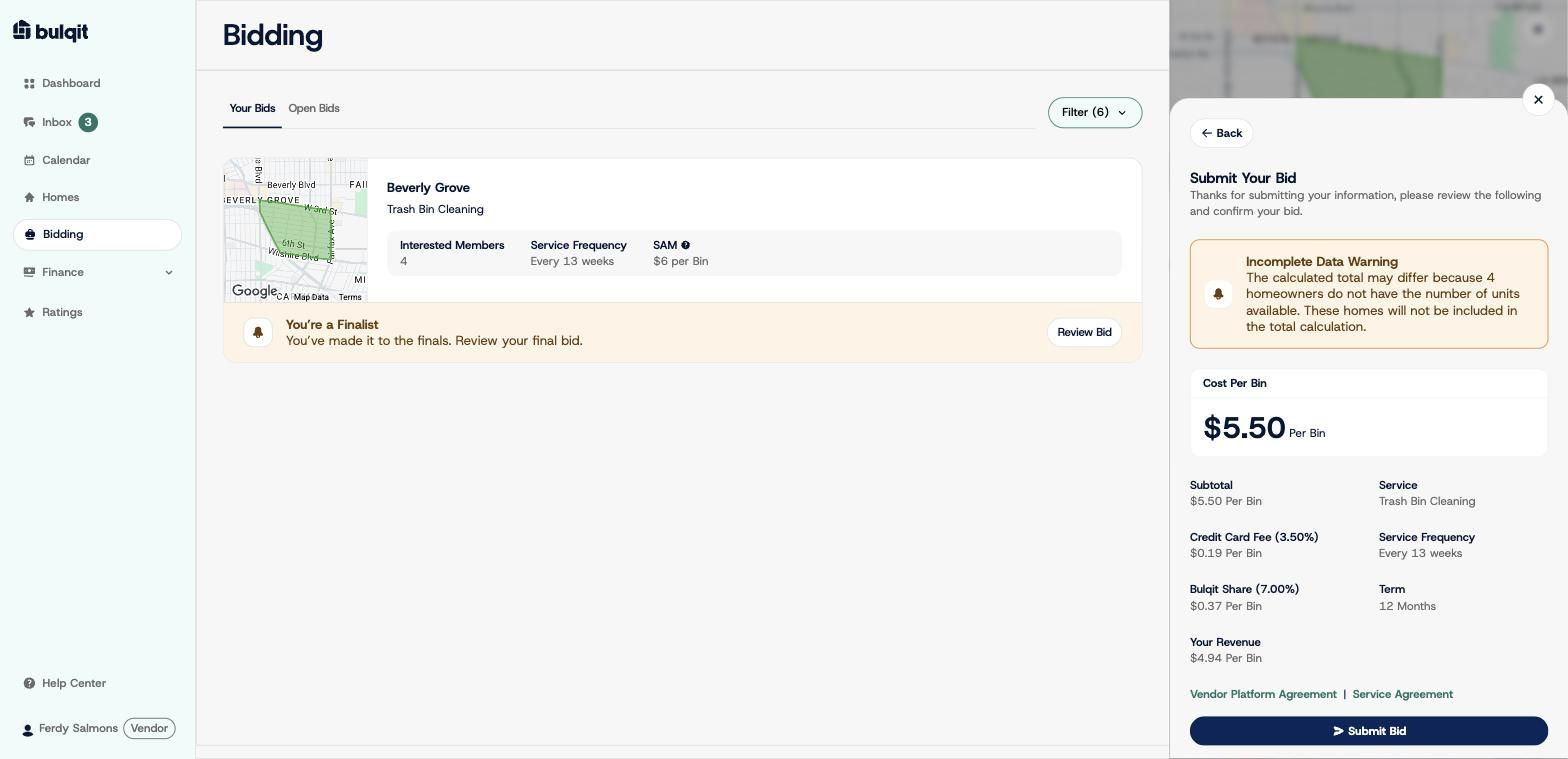
Step 3 — Review and click "Submit Bid"
The breakdown recalculates against your new rate - Subtotal, Credit Card Fee, Bulqit Share, Your Revenue. Everything else about the opportunity stays the same.
Step 4 — Confirm the update
You'll see the same confirmation as your original bid. Back on Your Bids, your rate updates to the new number and your status stays "You're a Finalist." You can keep revising until the Best & Final round closes.