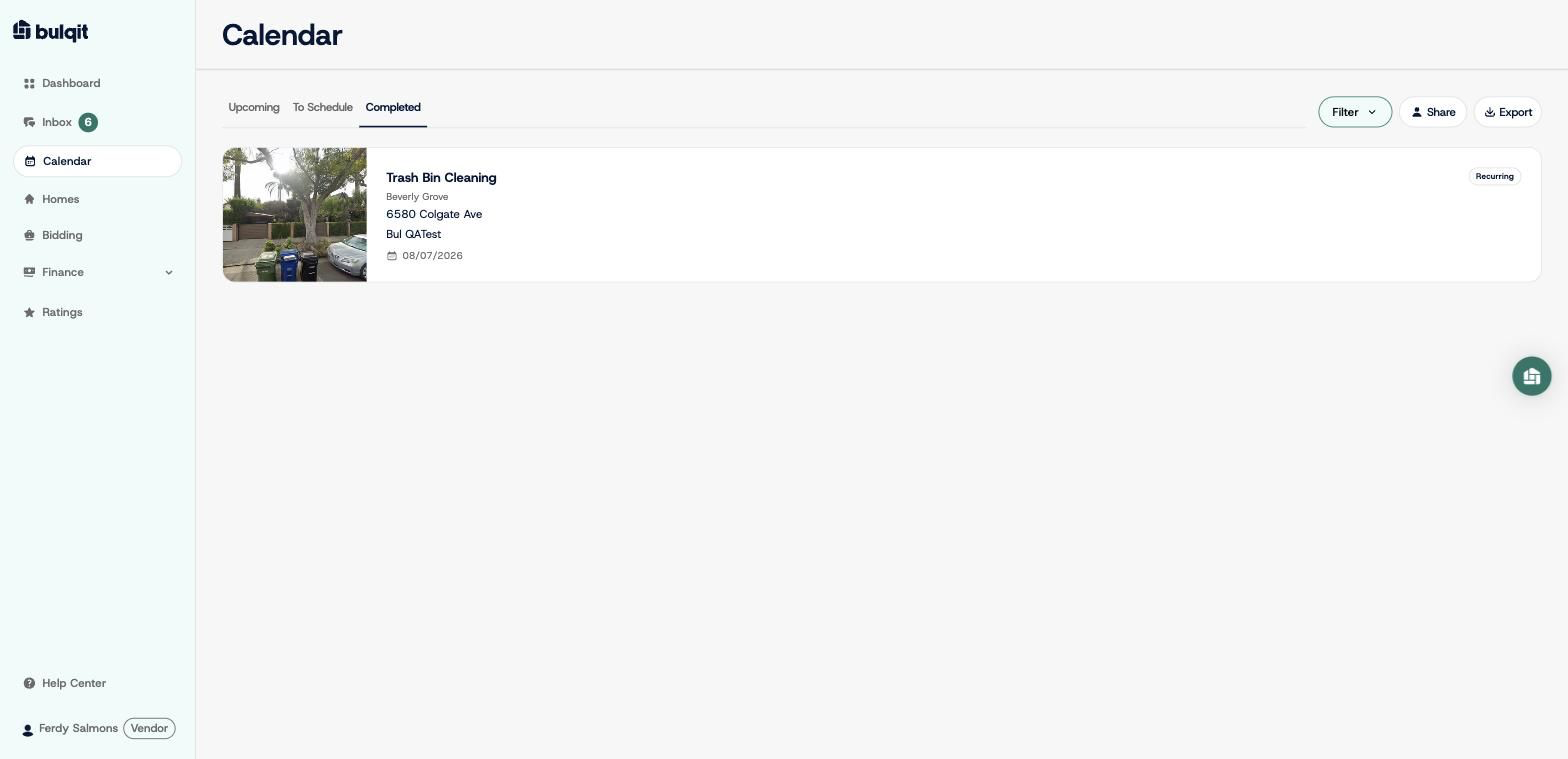
Calendar : Mark a Job as Complete
Edited
Here's how to close out a job you've finished.
Step 1 — Open Calendar → Upcoming
"On My Way" and "Mark As Complete" only appear on a job card on the day it's scheduled. Jobs further out show a Message action only.
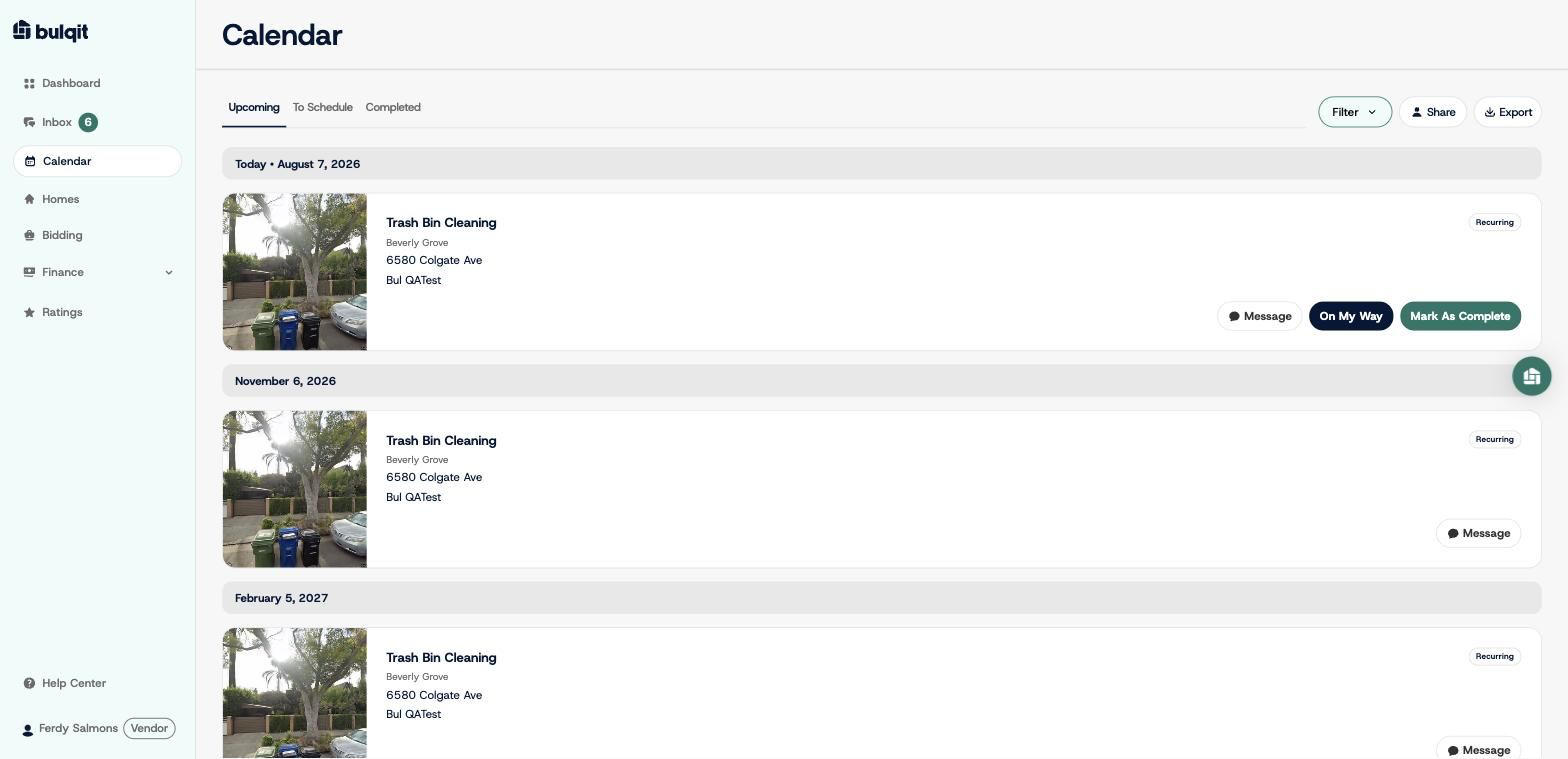
Step 2 — Click "Mark As Complete"
A confirmation modal shows the service, the Member, the address, and the scheduled date. Check them before you continue.
Completing a job can't be undone, and it does two things immediately: it bills the Member for the visit, and it prompts them to rate your work.
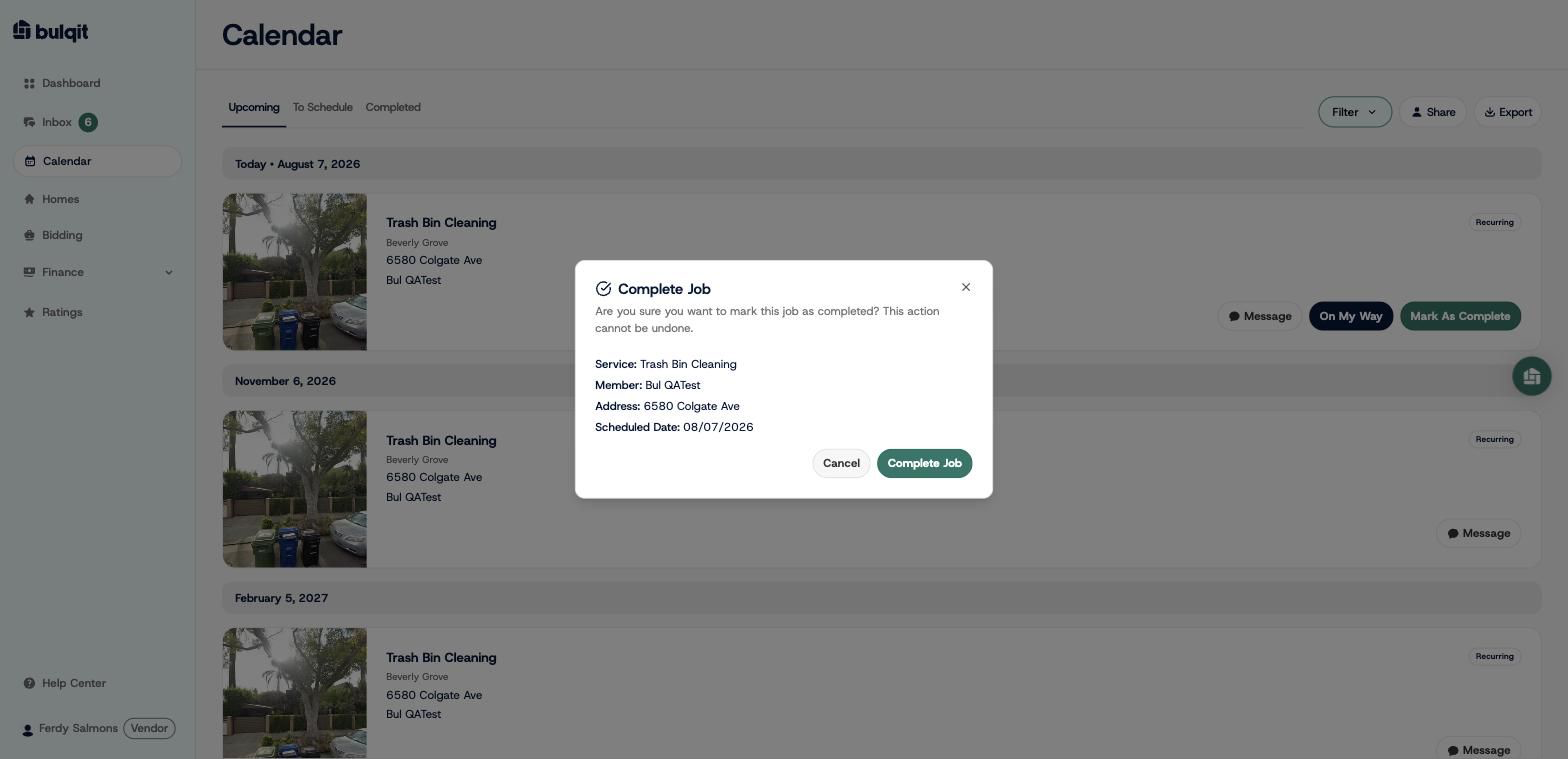
Step 3 — Click "Complete Job"
The job moves off Upcoming and onto Calendar → Completed with its completion date. The earnings appear on Finance → Transactions and roll into your next disbursement.