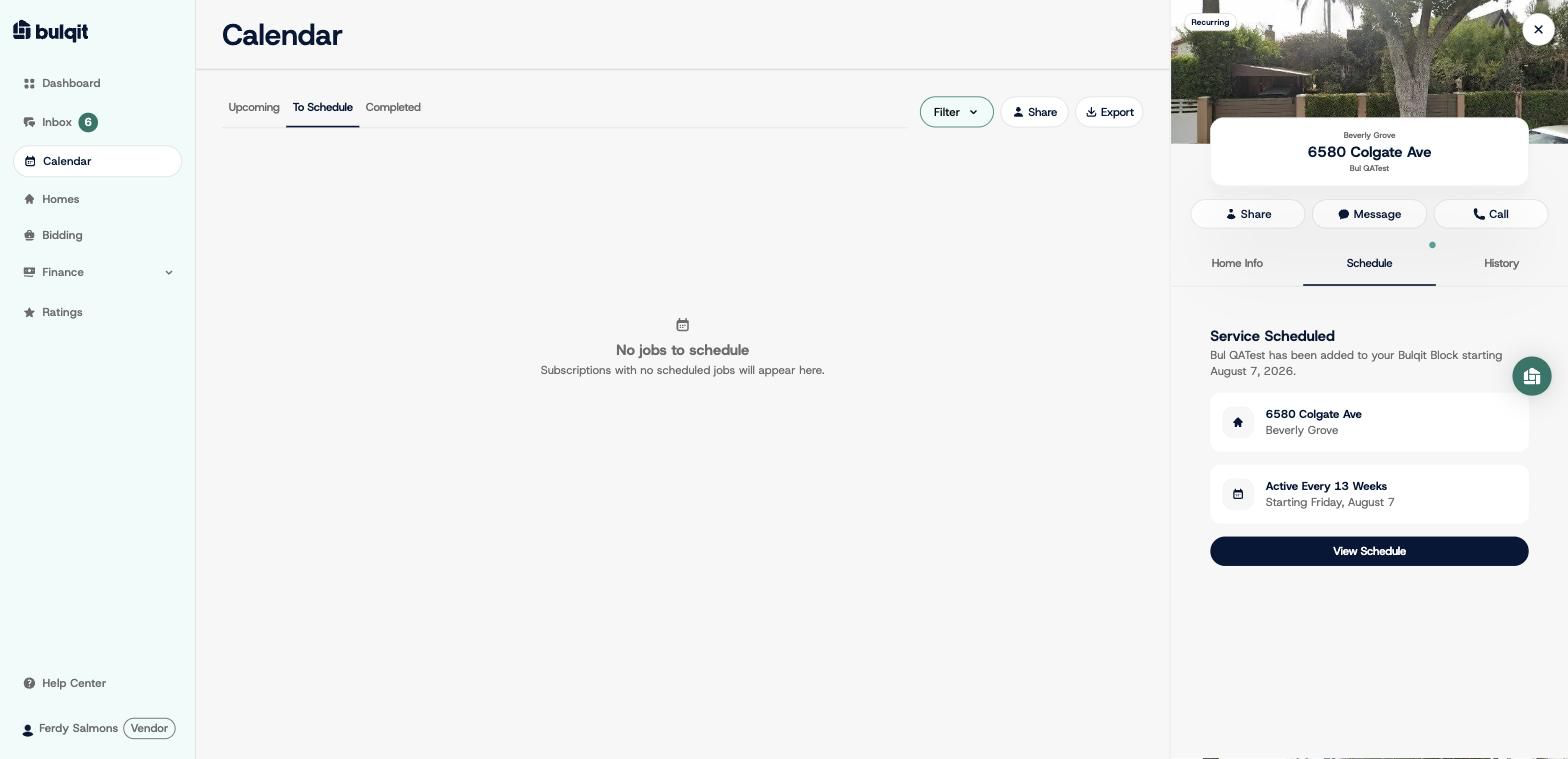
Calendar : Schedule a Service
Edited
Here's how to turn a won Block into scheduled visits.
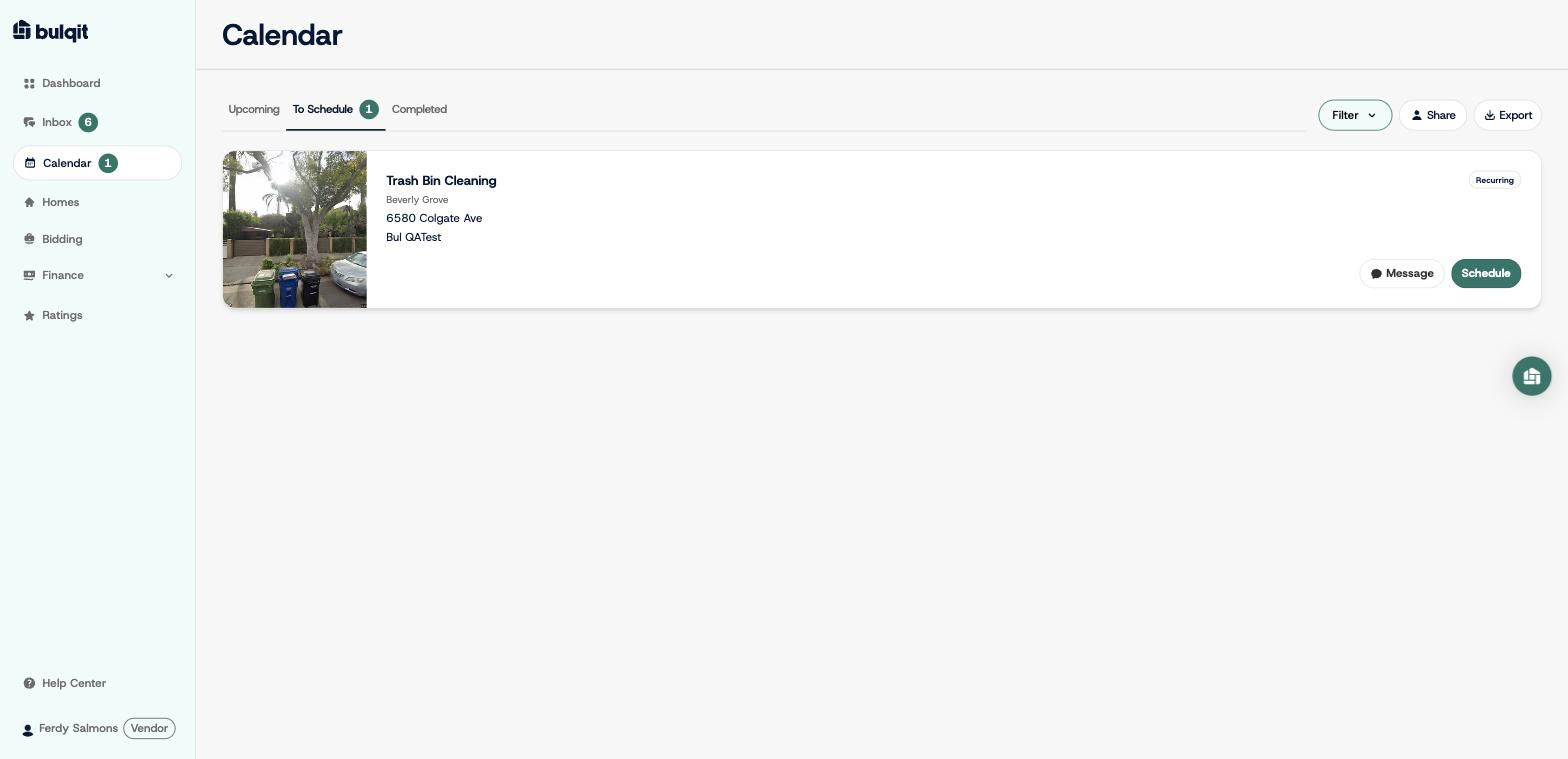
Step 1 — Open Calendar → To Schedule
Every home with an active subscription that still needs a start date shows here. Each card gives you Message and Schedule actions.
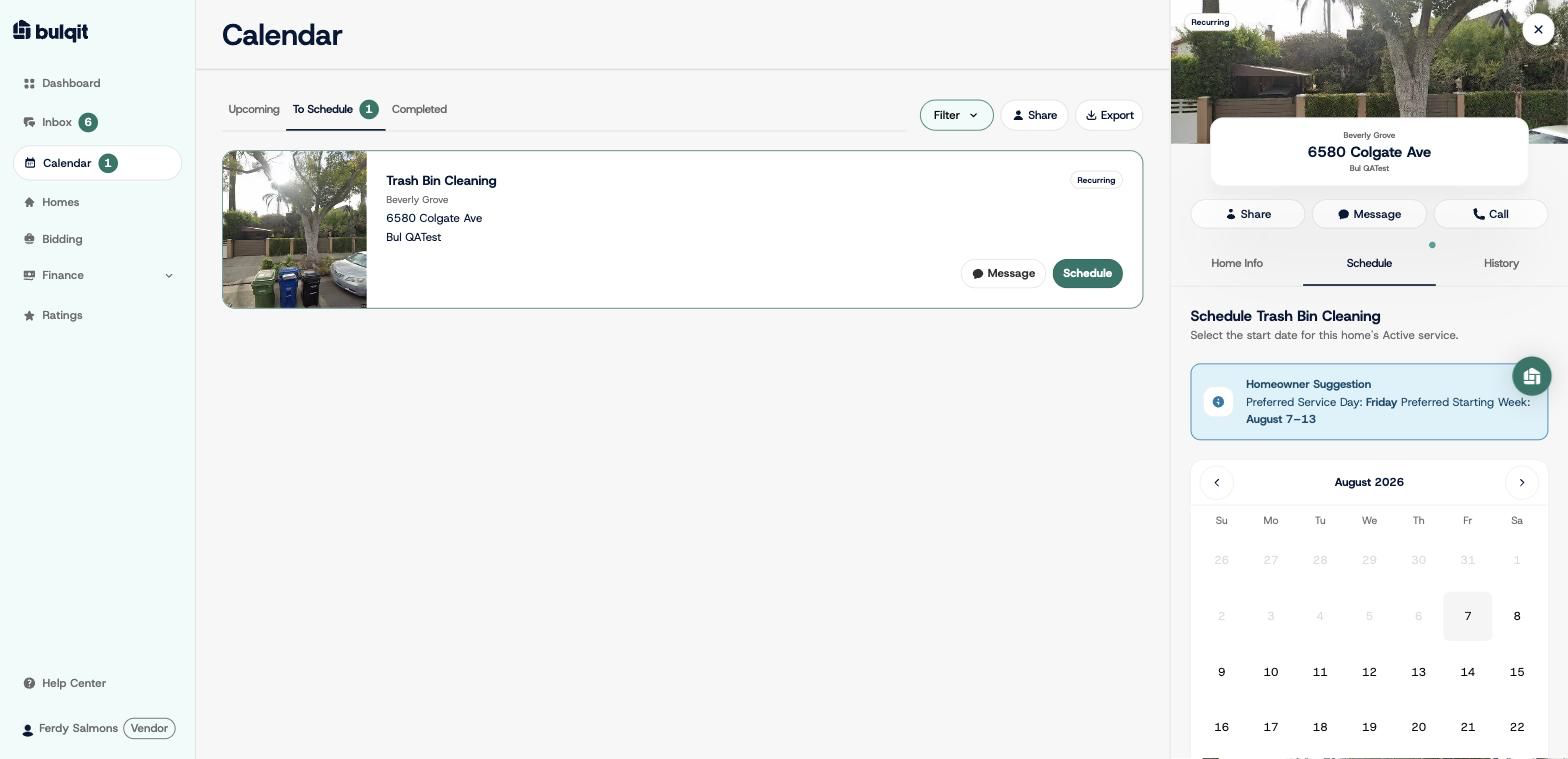
Step 2 — Click "Schedule" on the job card
A scheduling panel opens for that home.
Step 3 — Pick a start date
If the Member suggested a preferred service day and starting week, you'll see it in a banner above the date picker. It's a preference, not a requirement but honoring it where you can helps your Responsiveness score and heads off reschedule requests.
Pick the date your route actually supports.
Step 4 — Click "Schedule"
You'll see a confirmation that the Member has been added to your Block, along with the recurrence and the start date. The Member is notified automatically.