
Calendar : Skip a Future Service
Here's how to skip a single upcoming visit without ending the whole service.
Step 1 — Open the visit's "⋮" menu and choose "Skip Service"
From Calendar → Upcoming, or from the Schedule tab of the Member's home panel, click the "⋮" next to the visit and choose "Skip Service." You'll need to enter a reason before the button becomes clickable. The Member sees this, so keep it clear and professional.
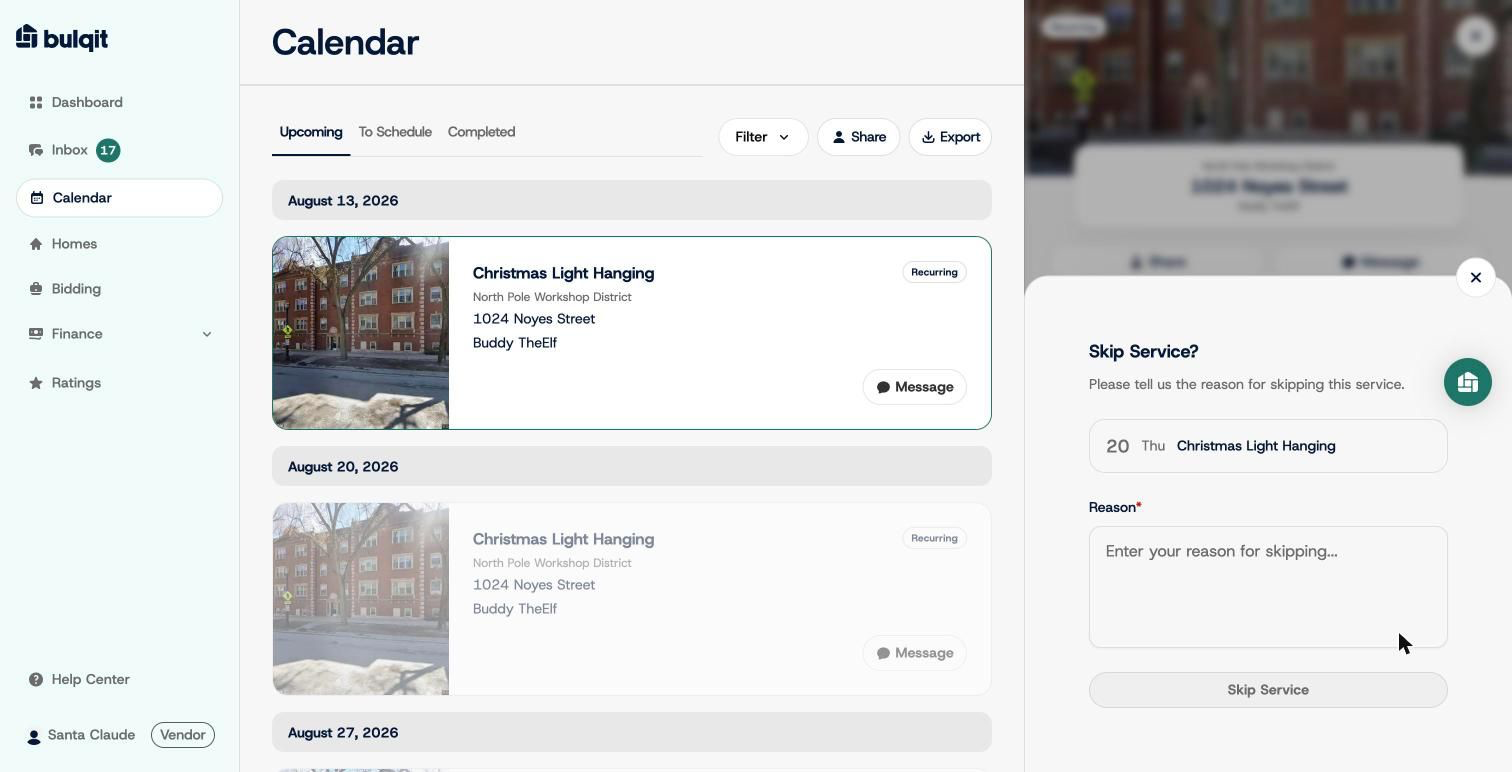
Skip Service reason form
Step 2 — Confirm
You'll see a confirmation that the skip is recorded and the Member has been notified. The visit shows a "Skipped" badge on the Member's Schedule tab, with an "Undo Skip" option available up to 24 hours before the original service date.
The skipped visit comes off your Upcoming list and the service continues on its normal cadence at the next scheduled date. The Member isn't billed for a skipped visit.
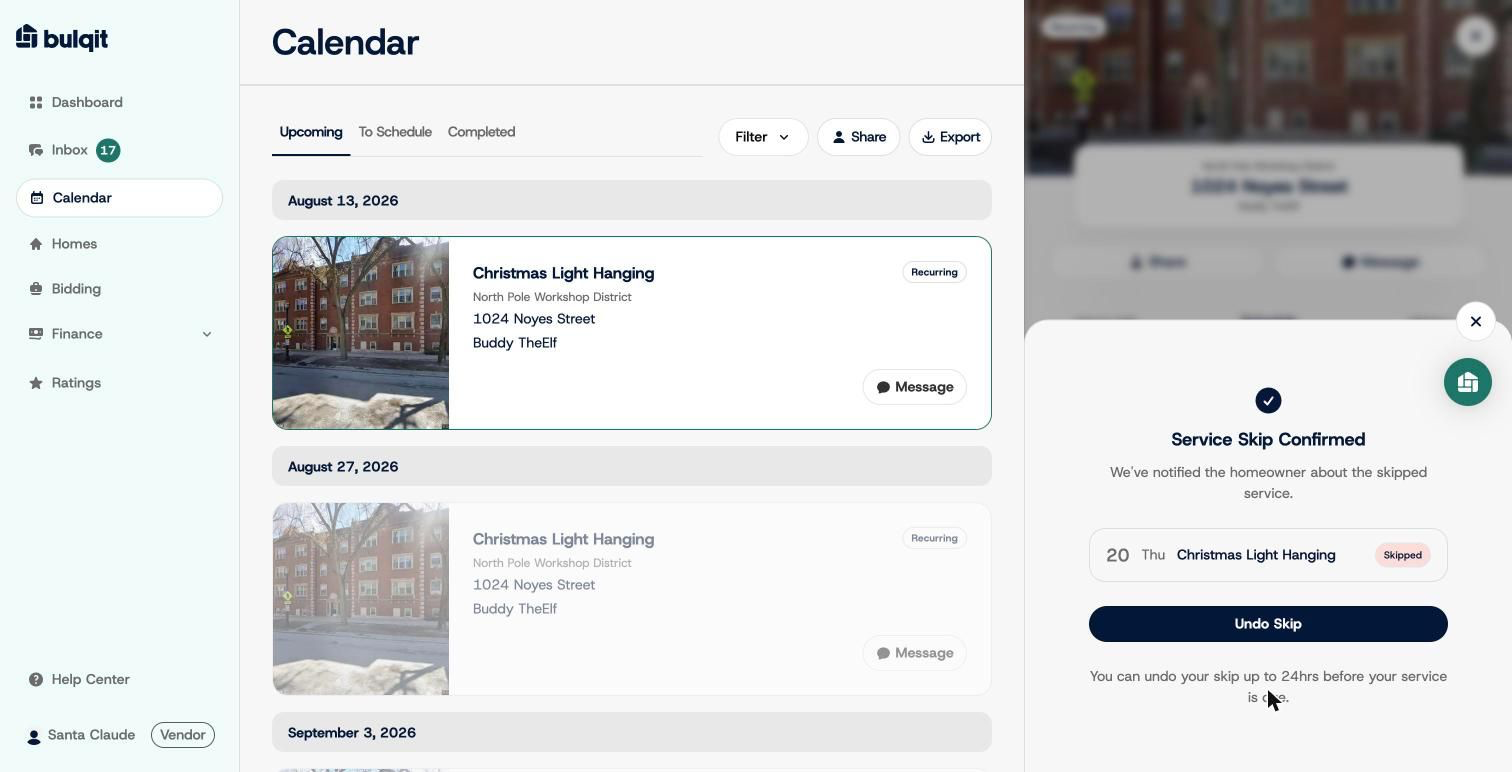
Skip confirmed screen