
Calendar : View Upcoming & Completed Jobs
Edited
Here's where to see everything you have scheduled and everything you've finished.
Step 1 — Open Calendar → Upcoming
Your future jobs are grouped by date. Each card shows the home's street-view photo, the service, the Block, the address, the Member's name, and whether the job is recurring or one-time.
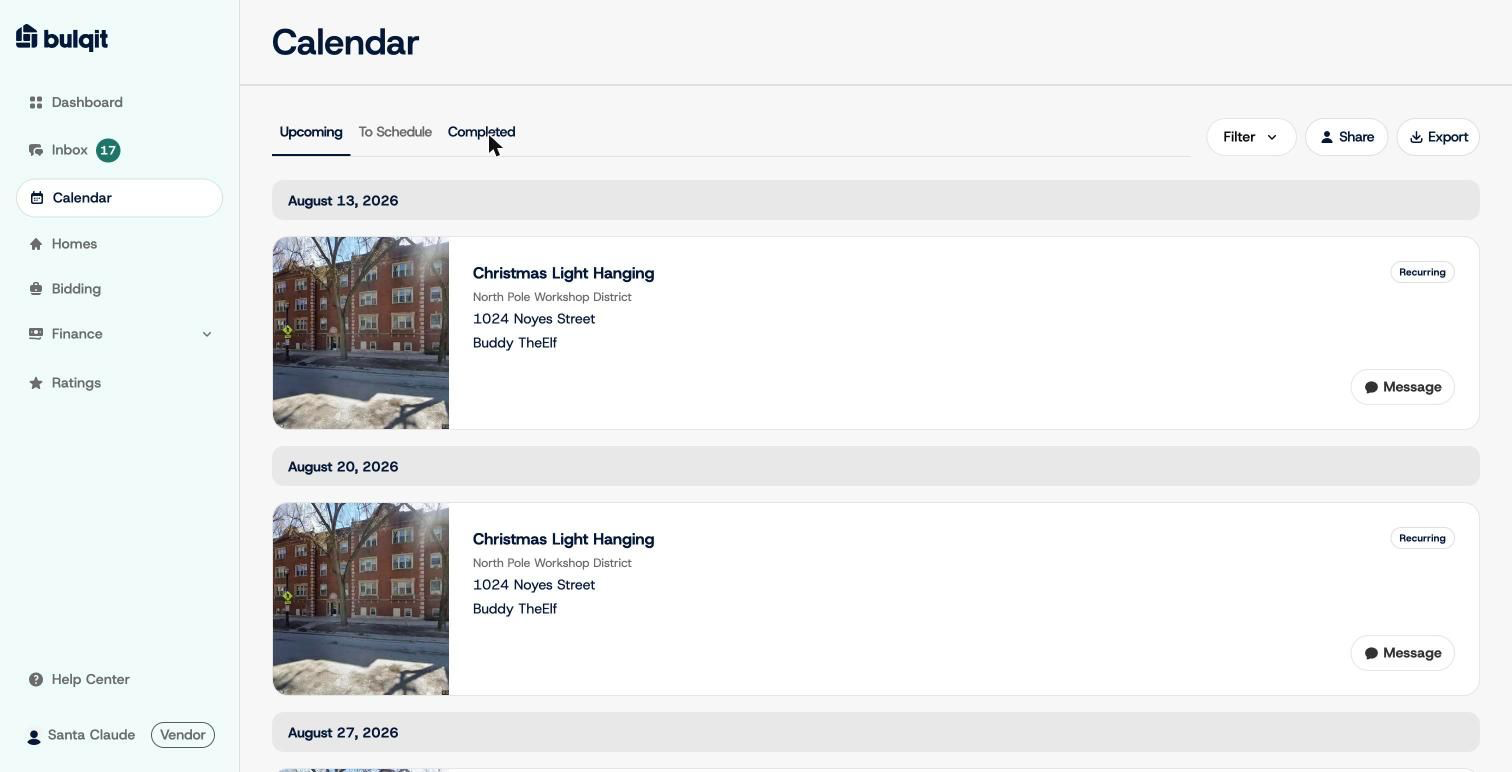
Calendar Upcoming tab
Step 2 — Switch to Completed
Your past jobs appear the same way, with the completion date and the star rating the Member left shown right on the card. You don't need to open Ratings to see how a specific job scored.
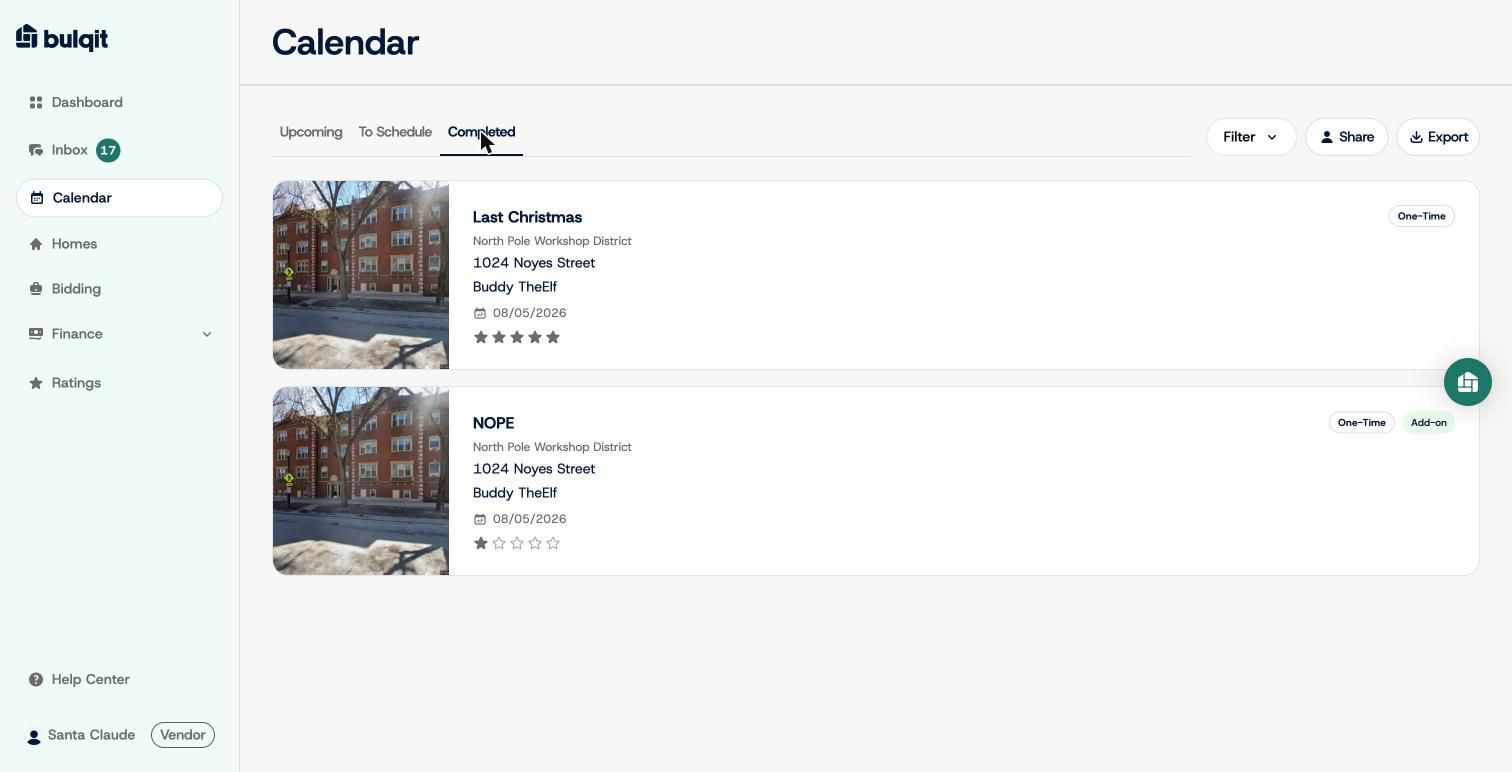
Calendar Completed tab