
Homes : View a Home / Member
Here's how to look up a Member you service and review their history with you.
Step 1 — Open Homes
Your Members are split across Active and Inactive tabs, with filter and search. Each card shows the street-view photo, the service, the Block, the full address, and the Member's name. A home moves to Inactive when the subscription ends [— confirm trigger].
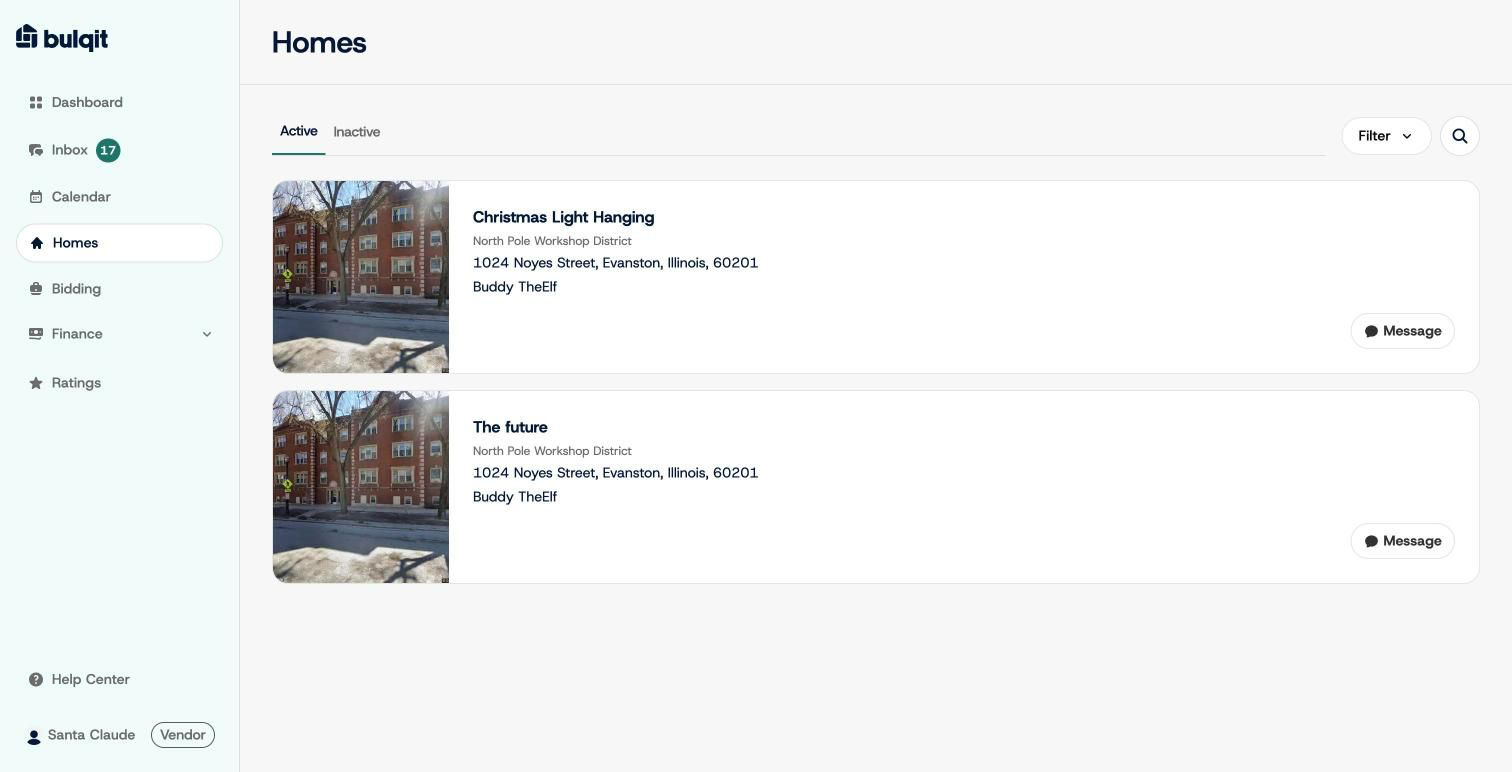
Homes list
Step 2 — Click a home to open its panel
This opens the same three-tab panel — Home Info, Schedule, History — you'd reach from a Calendar job card or an Inbox thread. Share and Message buttons sit at the top.
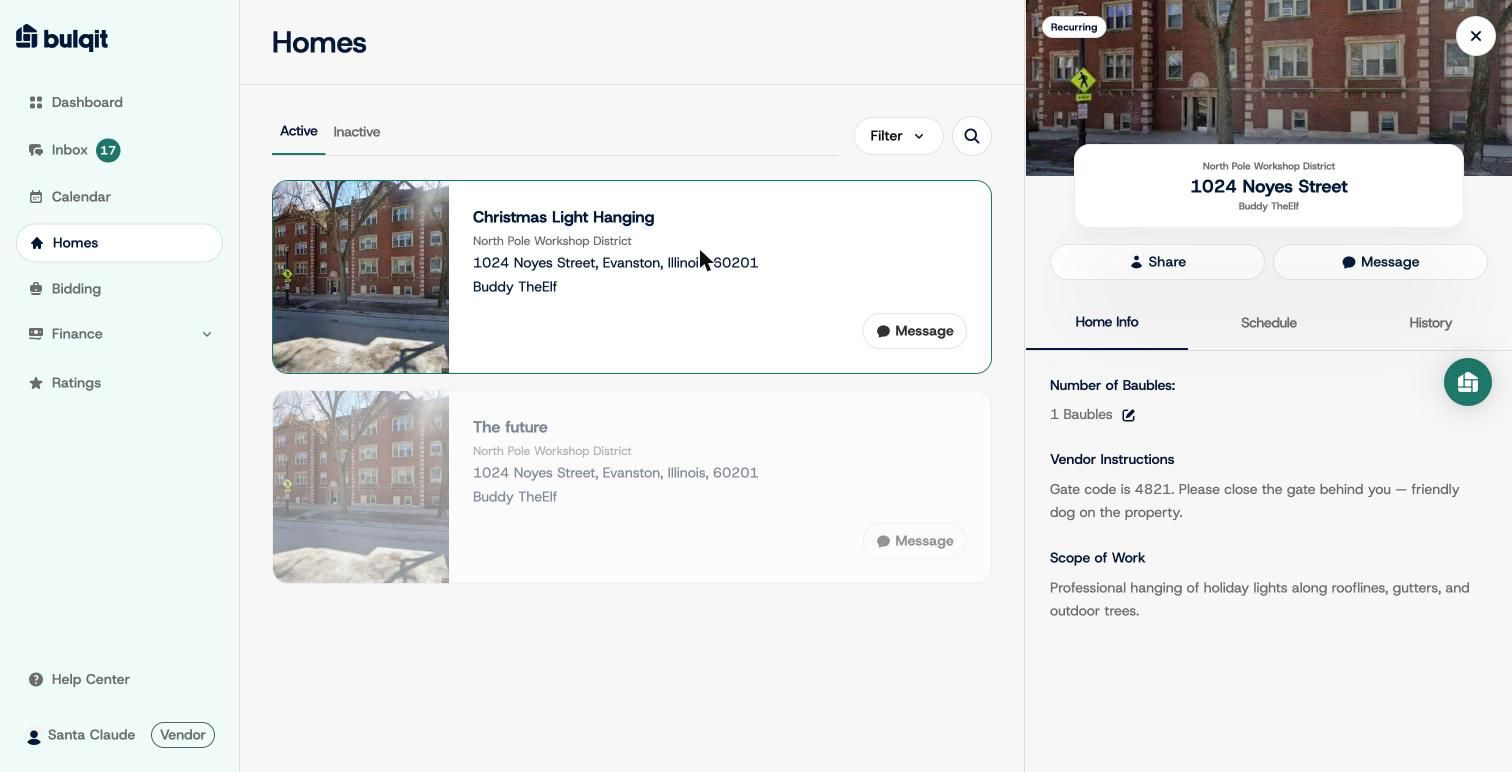
Home Info tab
Step 3 — Check History
History shows your completed-service count for that home, with an Export button.
One thing to watch: the count is scoped to a single service subscription, not the whole address. If a Member has a recurring subscription plus a separate one-time job with you, each shows its own count. Check the service name before you read the number.
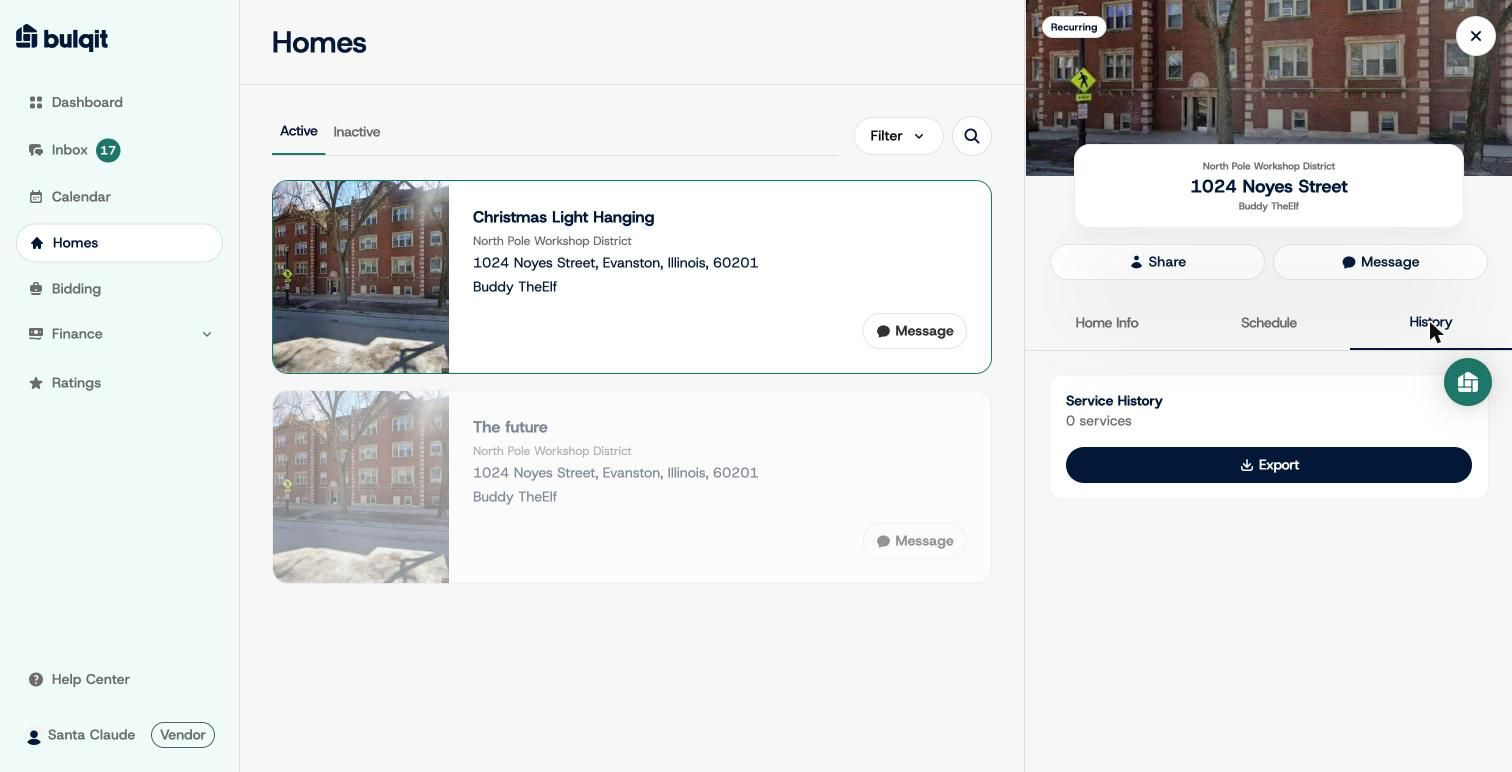
Home History tab