
Finance : View Transaction Details
Edited
Here's how to see exactly what you earned on a single completed job.
Step 1 — Open Finance → Transactions
Every completed job appears as a row: the completion date, the service and Member, the Block, the job type, the amount charged, the card processing fee, the Bulqit platform fee, and your net. The list is searchable and exportable.
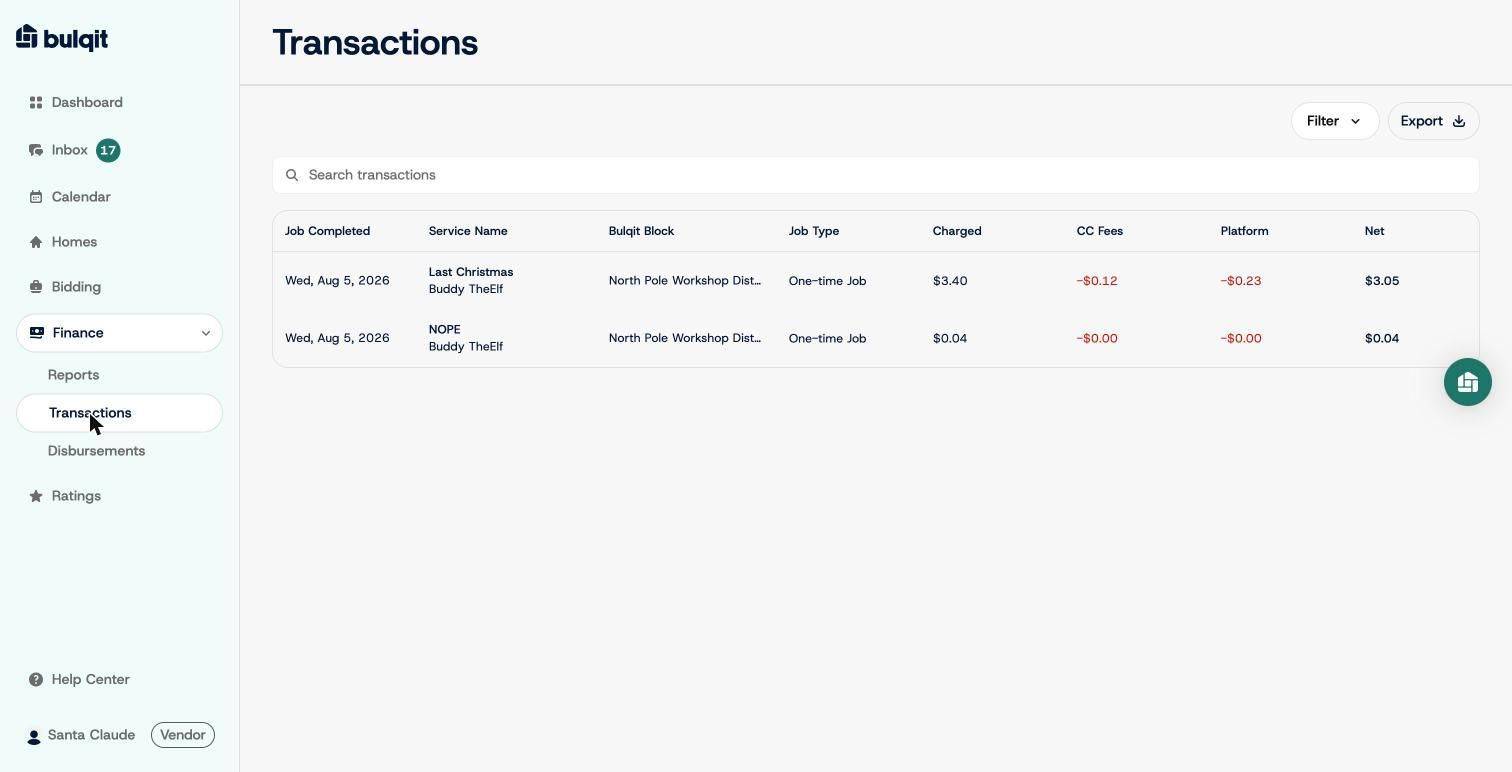
Transactions list
Step 2 — Click a row for the full breakdown
The detail panel shows more than the list including service, category, Block, billing type, transaction ID, job ID, completion date, Member, and the full financial breakdown.
"View Invoice" gives you the Member-facing invoice for that job. "Contact Bulqit Help" opens a support thread if a number looks wrong - use it rather than waiting for the payout to reconcile.
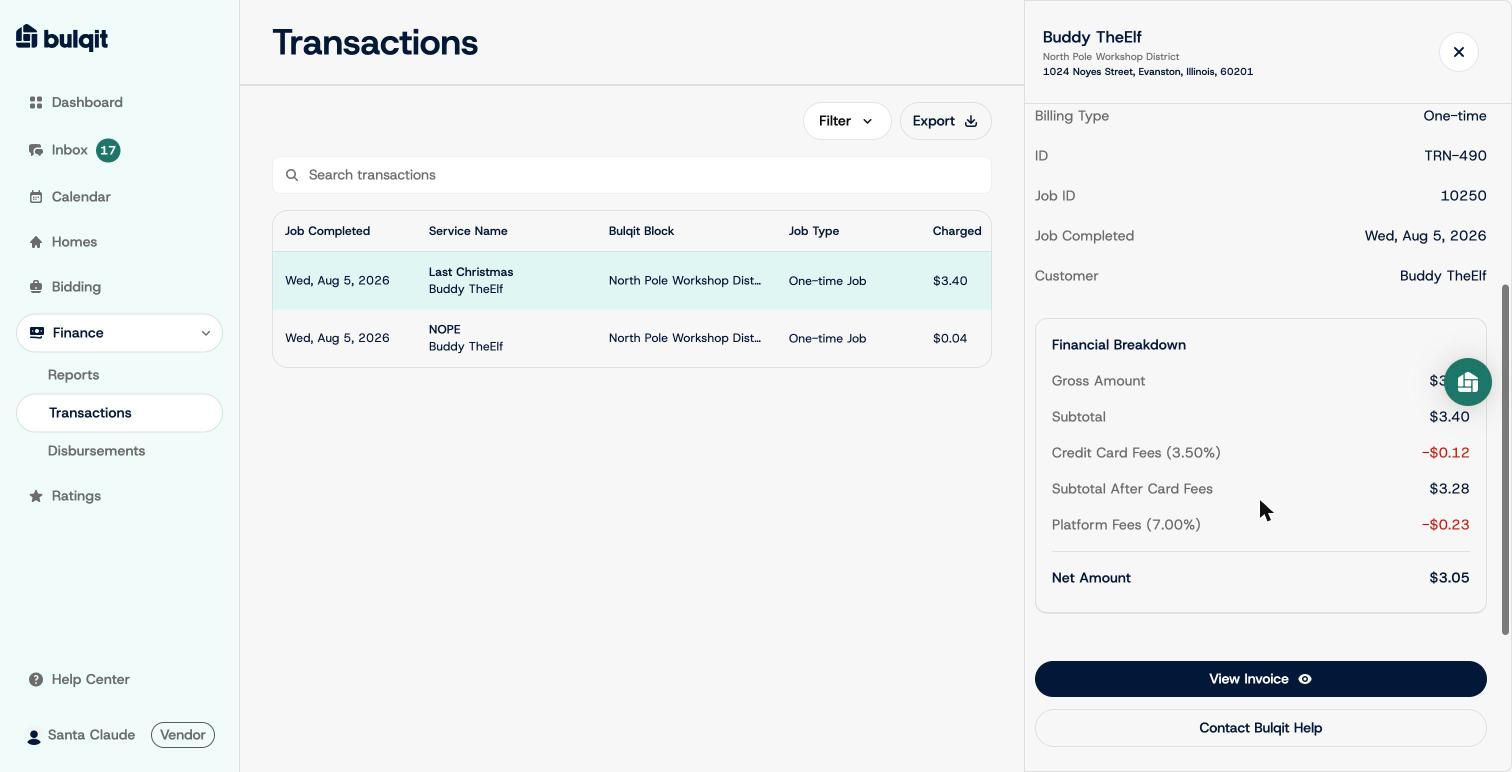
Transaction detail with full financial breakdown