
Finance : View Earnings Reports
Here's your earnings dashboard — what you've made and when the next payout lands.
Step 1 — Open Finance → Reports
Three Earnings cards run across the top: Last 30 Days, Last 12 Months, and Lifetime. All three are net, the Credit Card Fee and Bulqit Share are already deducted, so these are the numbers that hit your bank.
Below them, Last Disbursement shows your most recent payout. Accumulated Disbursement shows what you've earned since that payout - money owed to you but not yet sent - along with your next payout date. Payouts run weekly.
The Historical Earnings chart underneath covers a rolling 12 months, so you can see seasonality across your Blocks.
For job-level detail, go to Finance → Transactions. For the payout batches themselves, go to Finance → Disbursements.
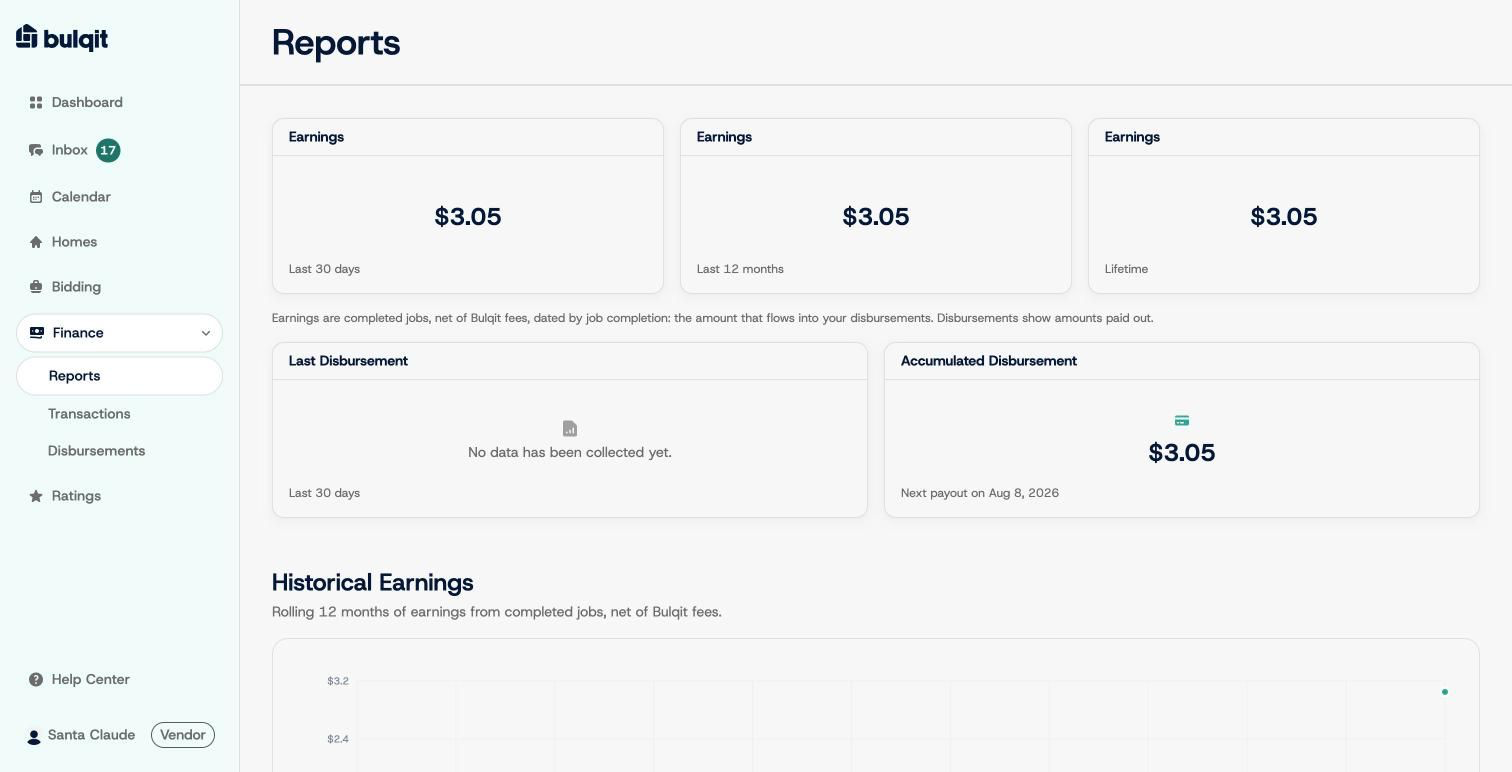
Finance Reports overview