
Inbox : Start a New Message Thread
Here's how to start a new conversation with a Member or with the Bulqit team.
Step 1 — Click "+ New" in the Inbox toolbar
A New Message panel opens on the right with a search box for your connected Members. Two things show by default: Bulqit Help, for reaching our team, and every Member whose home you currently service.
You can only message Members you have an active service relationship with.
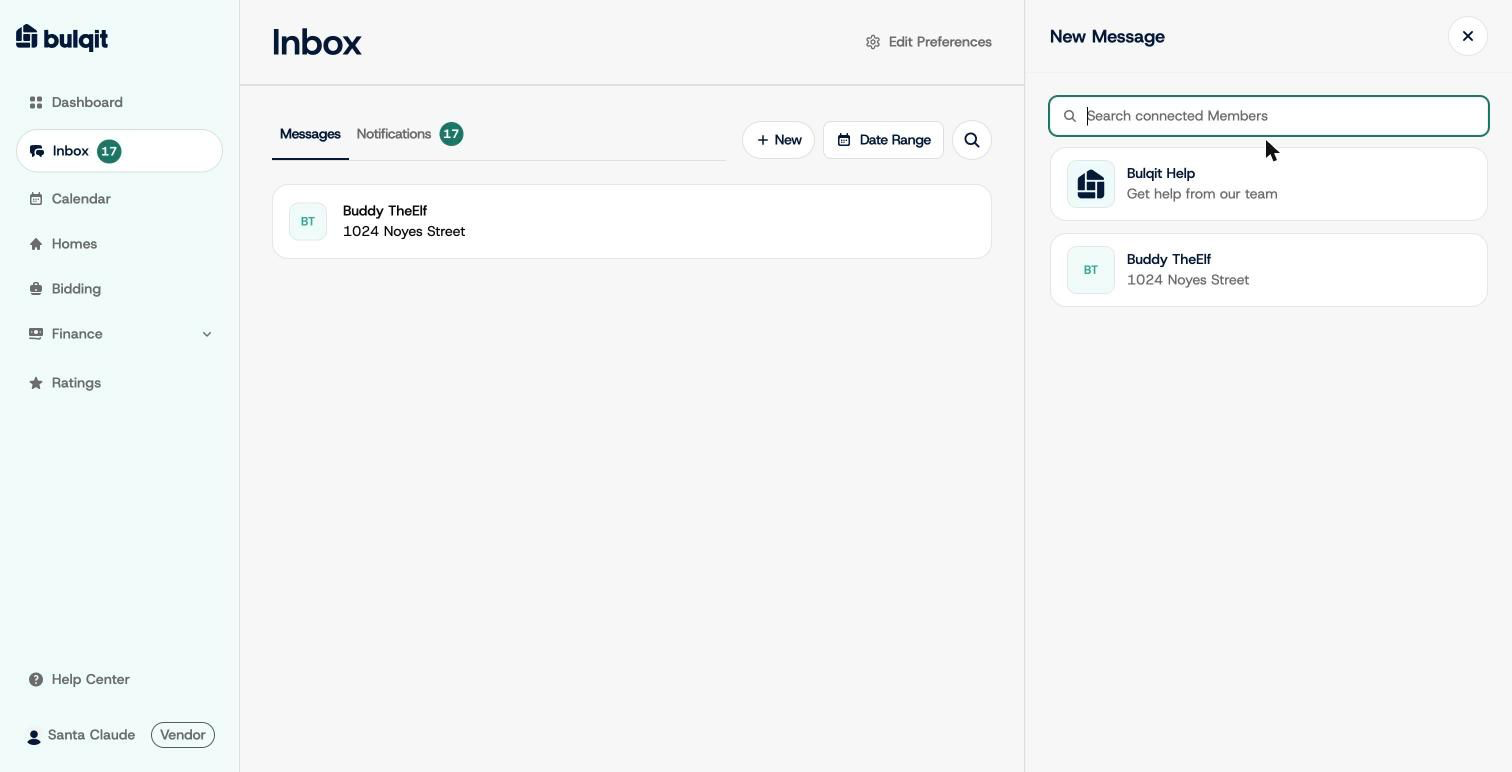
New Message recipient picker
Step 2 — Pick a recipient
Choose a Member to open a thread with them, or choose Bulqit Help to reach our team the same support channel you'd get from Settings → Contact Support. A fresh thread opens with a message composer at the bottom.
Members are notified by email or SMS depending on their preferences, so expect replies to arrive here rather than by text to your phone.
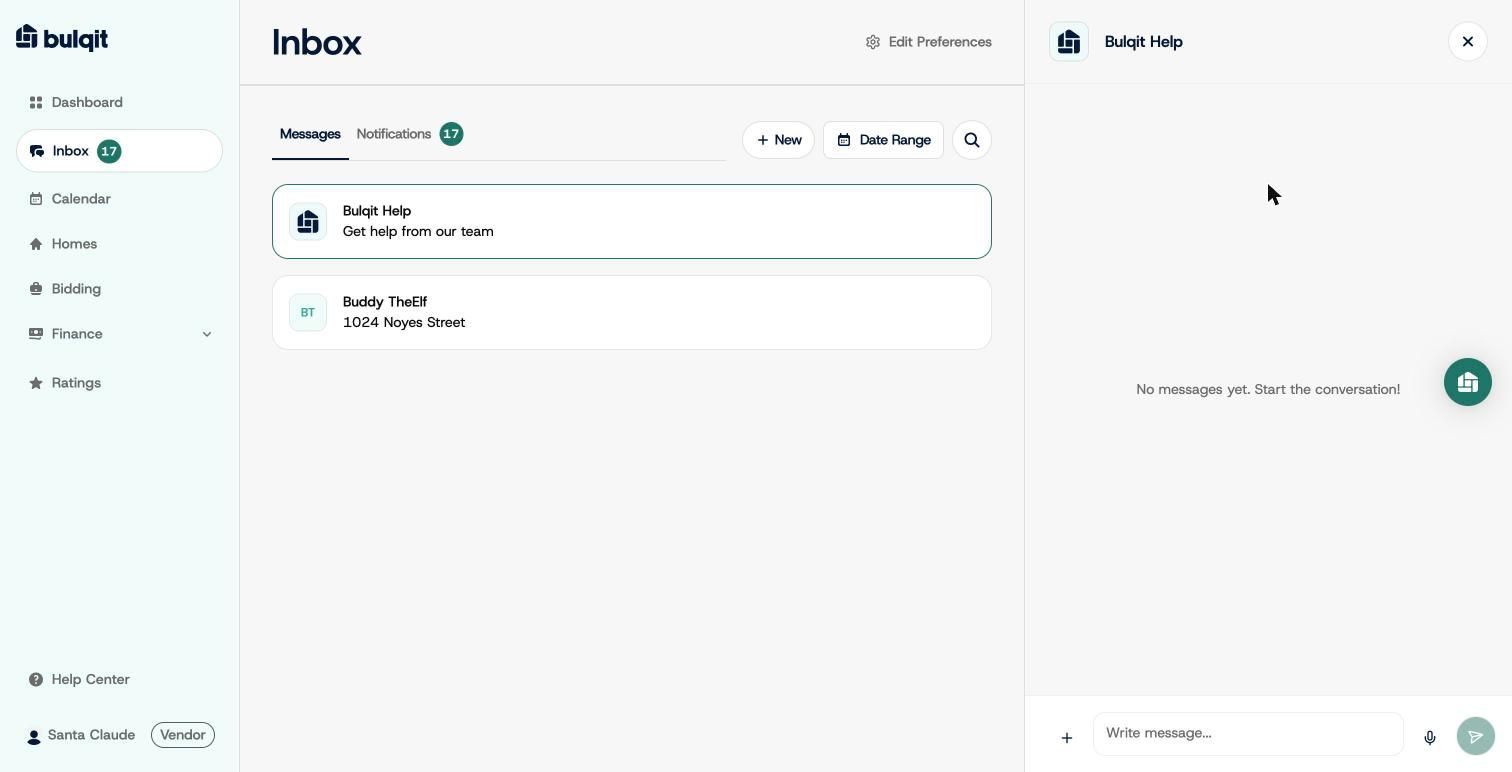
New thread with Bulqit Help