
Inbox : Send a Proposal to a Homeowner
Here's how to quote a Member for work outside their existing subscription, directly from a message thread.
Step 1 — Open the Homeowner's conversation in Inbox
Go to Inbox and open the Member's thread. Click the "+" next to the message box to open the attachment menu and you'll see Proposal, Gallery, Camera, and Files.
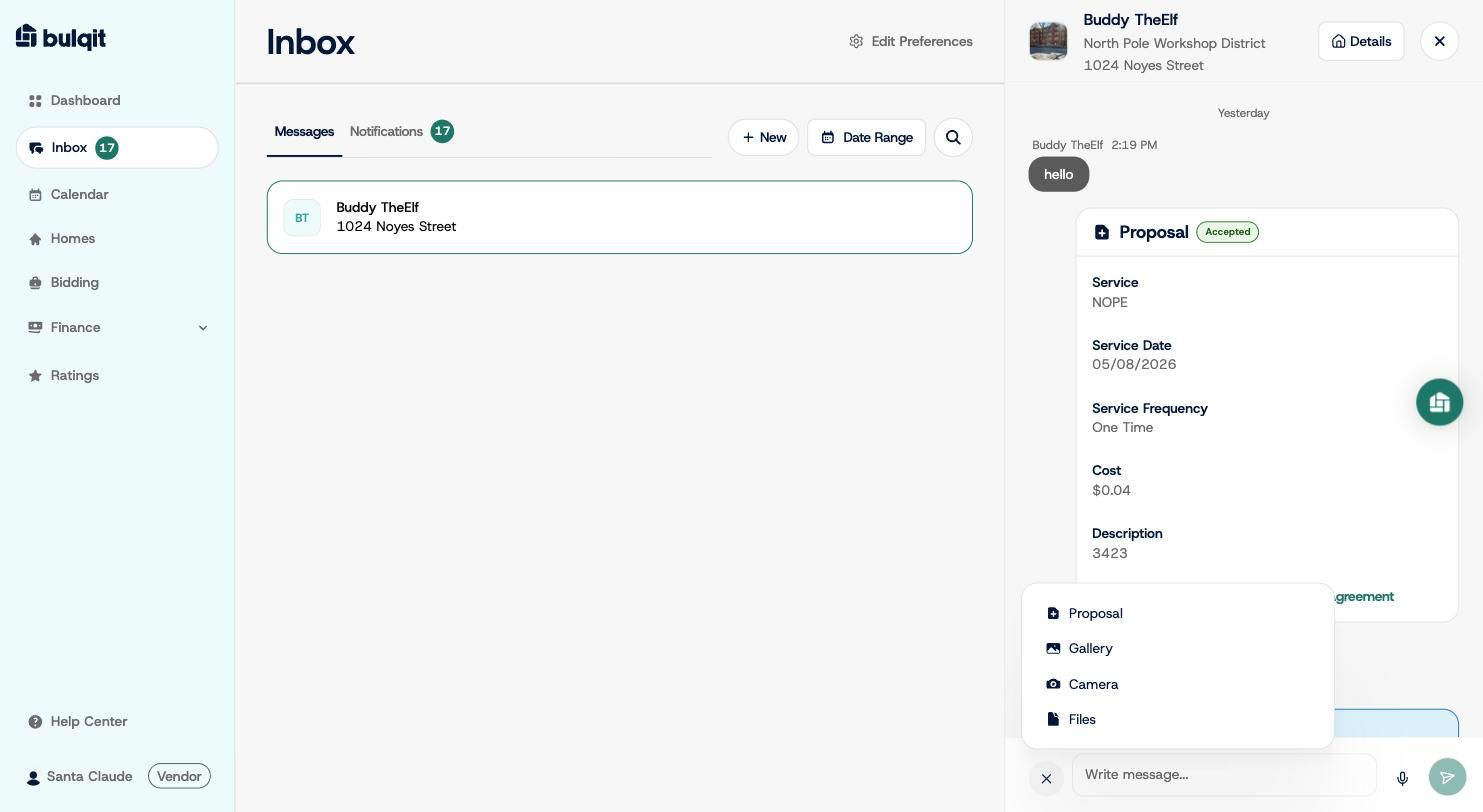
Proposal attachment menu
Step 2 — Fill out the Proposal form
Click Proposal, then enter the service name, choose One-Time or Recurring, enter your cost, confirm the start date, and write a description. Be specific in the description as it's what the Member is agreeing to, and it becomes the scope of work if they accept. You can attach a file if it helps.
Your cost is the amount the Member is charged. The standard Credit Card Fee and Bulqit Share apply, the same as any other job.
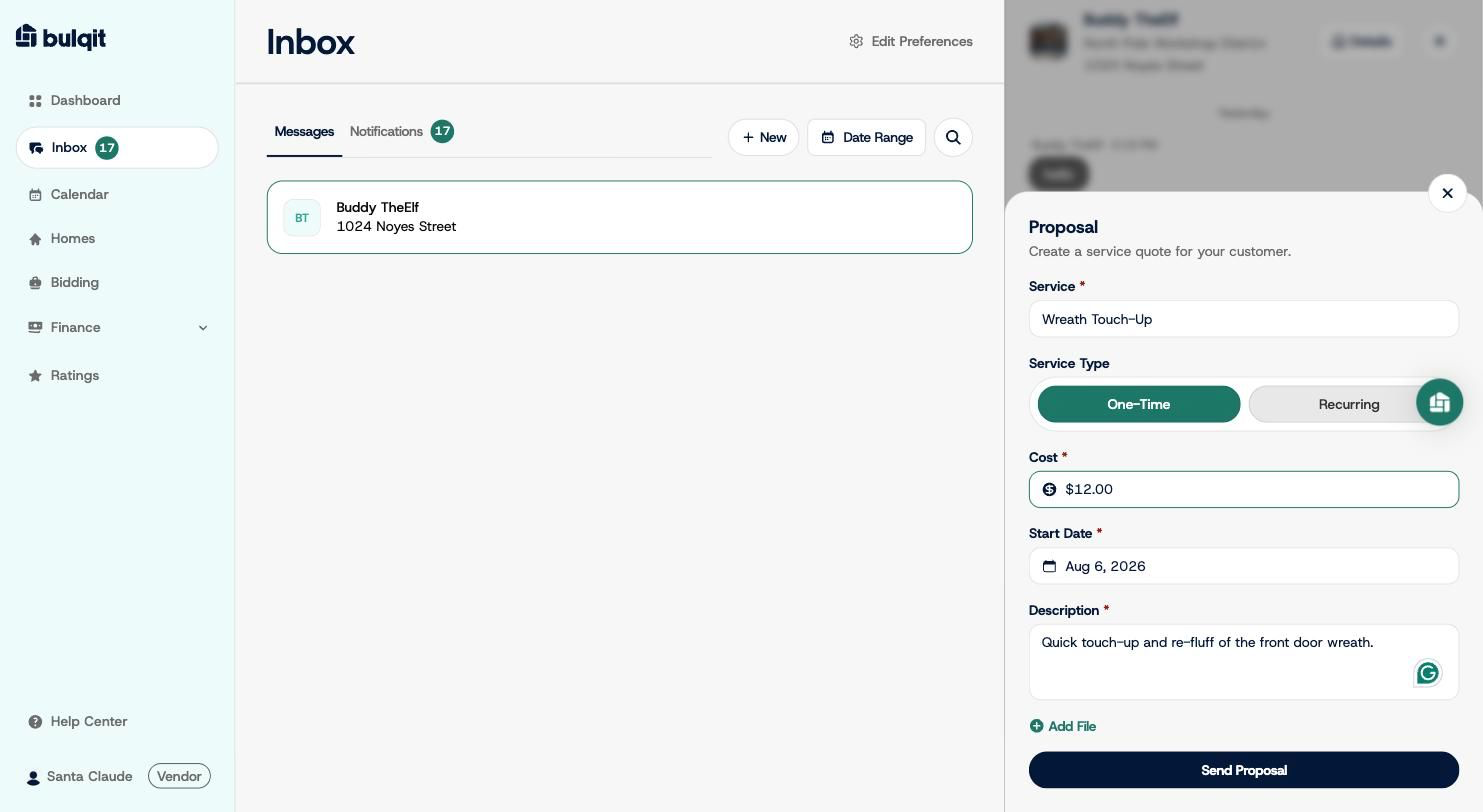
Proposal form filled out
Step 3 — Send it
Click "Send Proposal." It posts into the thread as a card marked "Pending," showing the service, date, frequency, cost, description, and links to the Vendor Platform Agreement and Service Agreement.
When the Member accepts, the card updates to "Accepted" and they're billed on completion of the service not at acceptance and the service is added to your Calendar.