
Payments : Download an Invoice
Edited
Here's how to download the invoice for any completed service visit. Bulqit invoices per visit, so a recurring service produces a separate invoice each time it's performed.
Step 1 — Navigate to Jobs
From your dashboard, click History in the sidebar. This lists every completed and upcoming visit across all of your services.
Step 2 — Open the Job
Click the visit you want. A panel slides out from the right with the full job details, including what you were charged and which card was used.
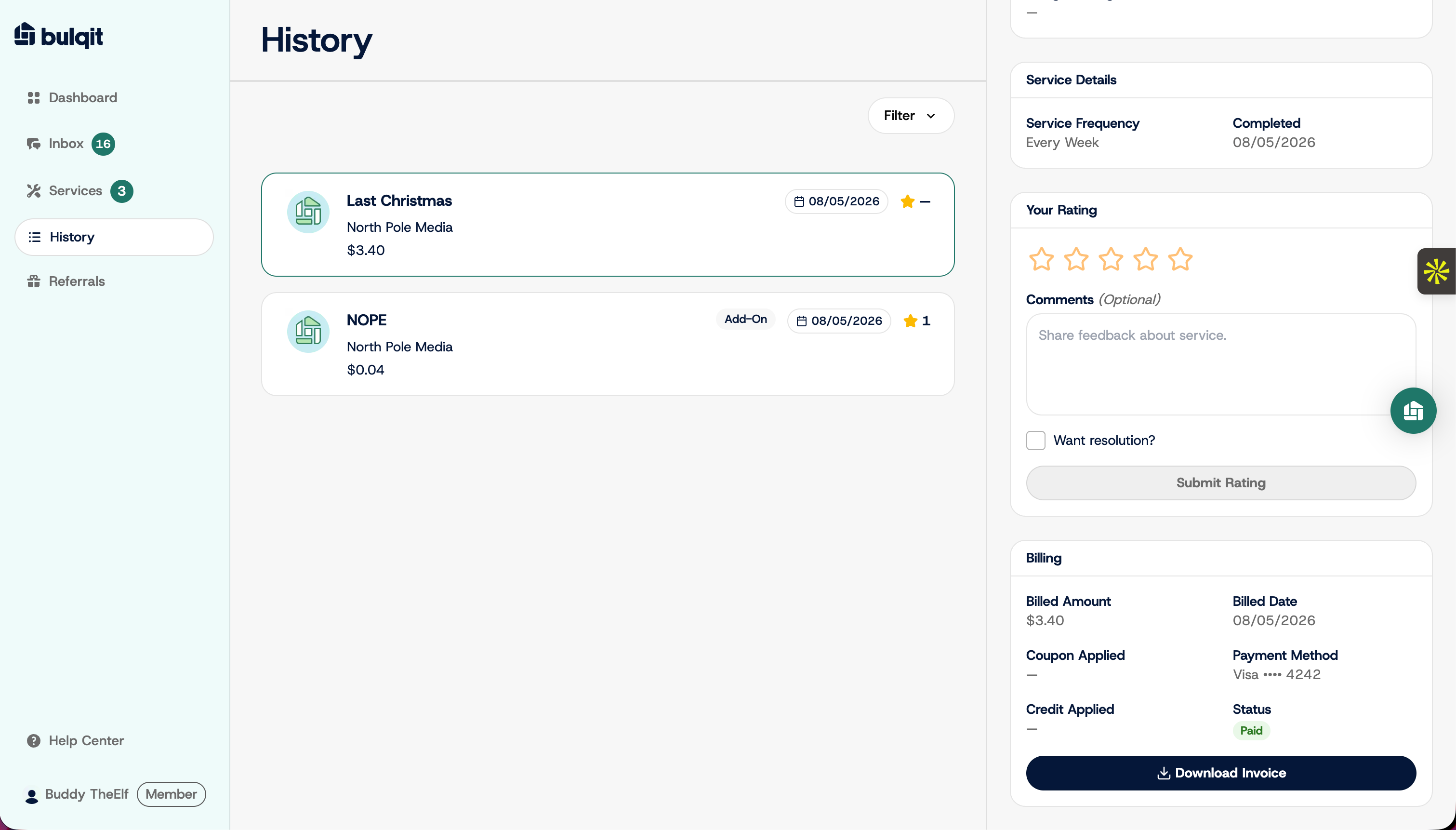
Step 3 — Download the Invoice
Click Download Invoice to save that visit's invoice as a PDF.
Invoices are only generated once a visit is completed and charged. Upcoming visits won't have one yet.