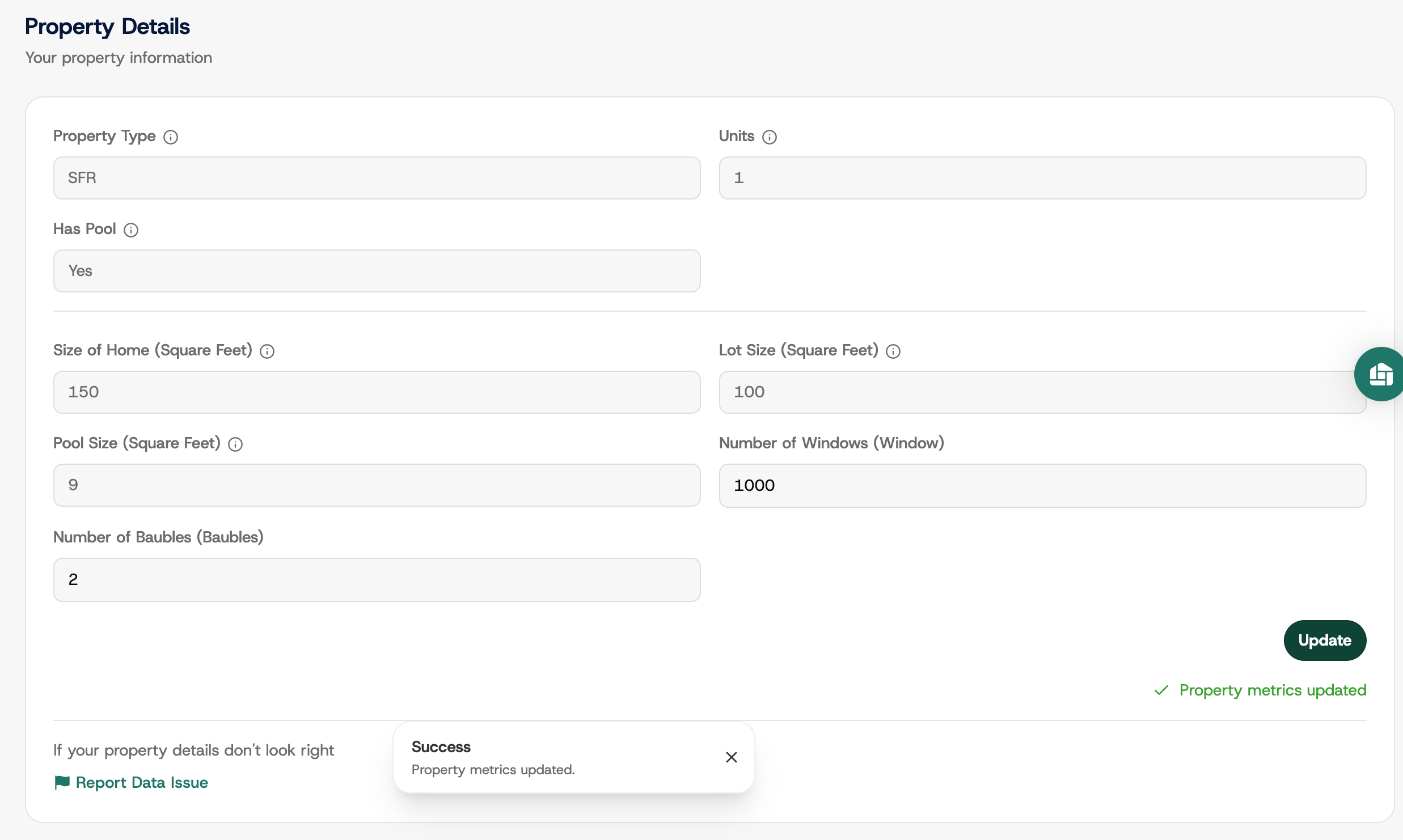
Settings : Change Property Details
Edited
Here's how to update your property measurements, such as pool square footage or number of windows. Your pricing is calculated from these numbers, so keeping them accurate keeps your bill accurate.
Some fields are locked because they come from county property records. If a locked field is wrong, message Bulqit Help and we'll correct it.
Step 1 — Navigate to your Member Dashboard
Open the sidebar menu.
Step 2 — Go to Settings, then Property Details
Click Settings, then scroll to Property Details. Everything we hold about your property is listed here.
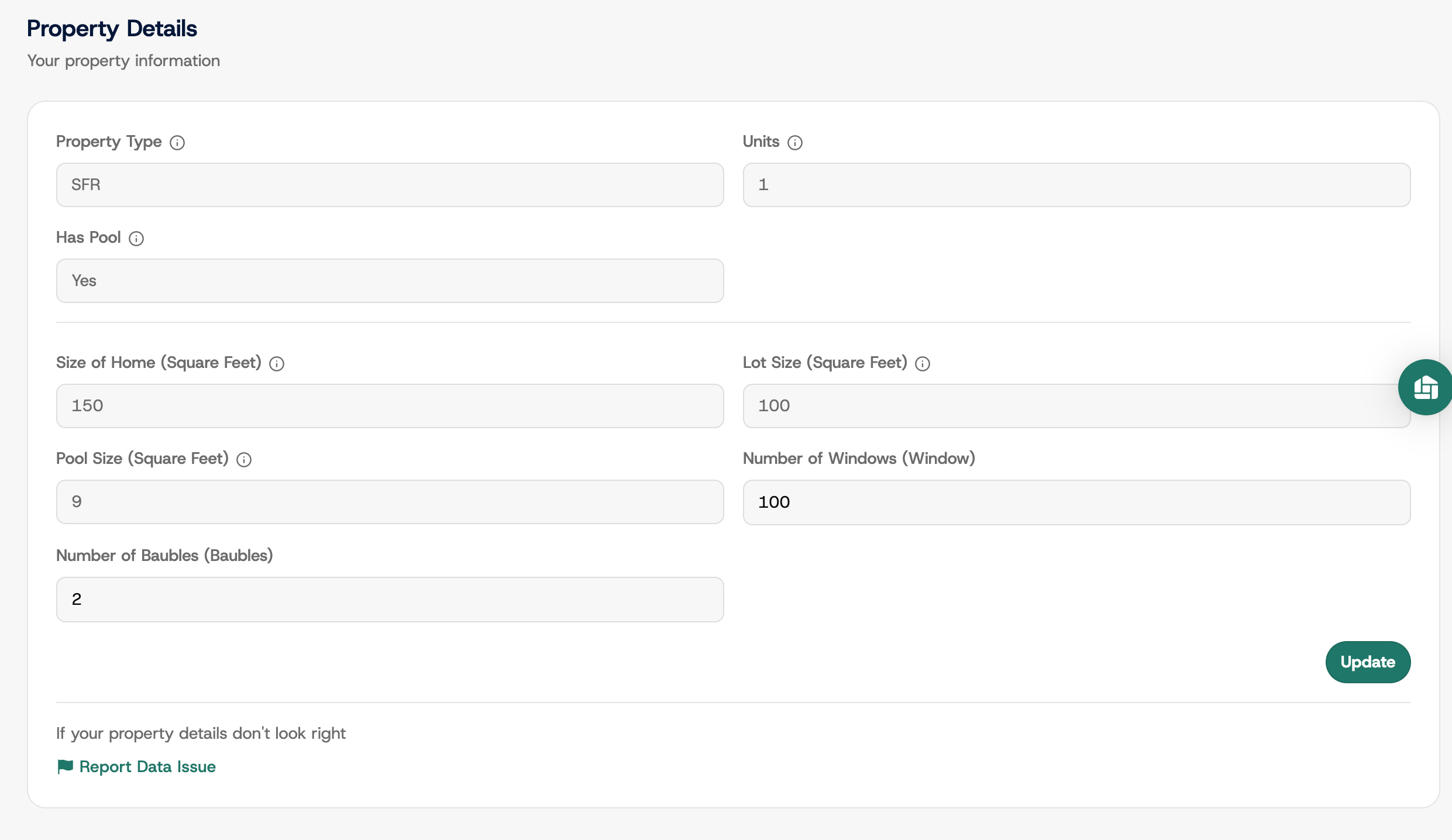
Step 3 — Edit the relevant field and save
Click into the field, clear the old value, type the new one, and click Update.
Your pricing recalculates automatically and the new rate applies from your next billing cycle. Visits already completed are billed at the old rate.