
Services : Report an Issue with a Vendor
Here's how to flag a problem with your Vendor. This opens a direct line to the Bulqit team, who will follow up with you and with the Vendor.
Use this for things like a missed visit, incomplete work, property damage, or conduct concerns.
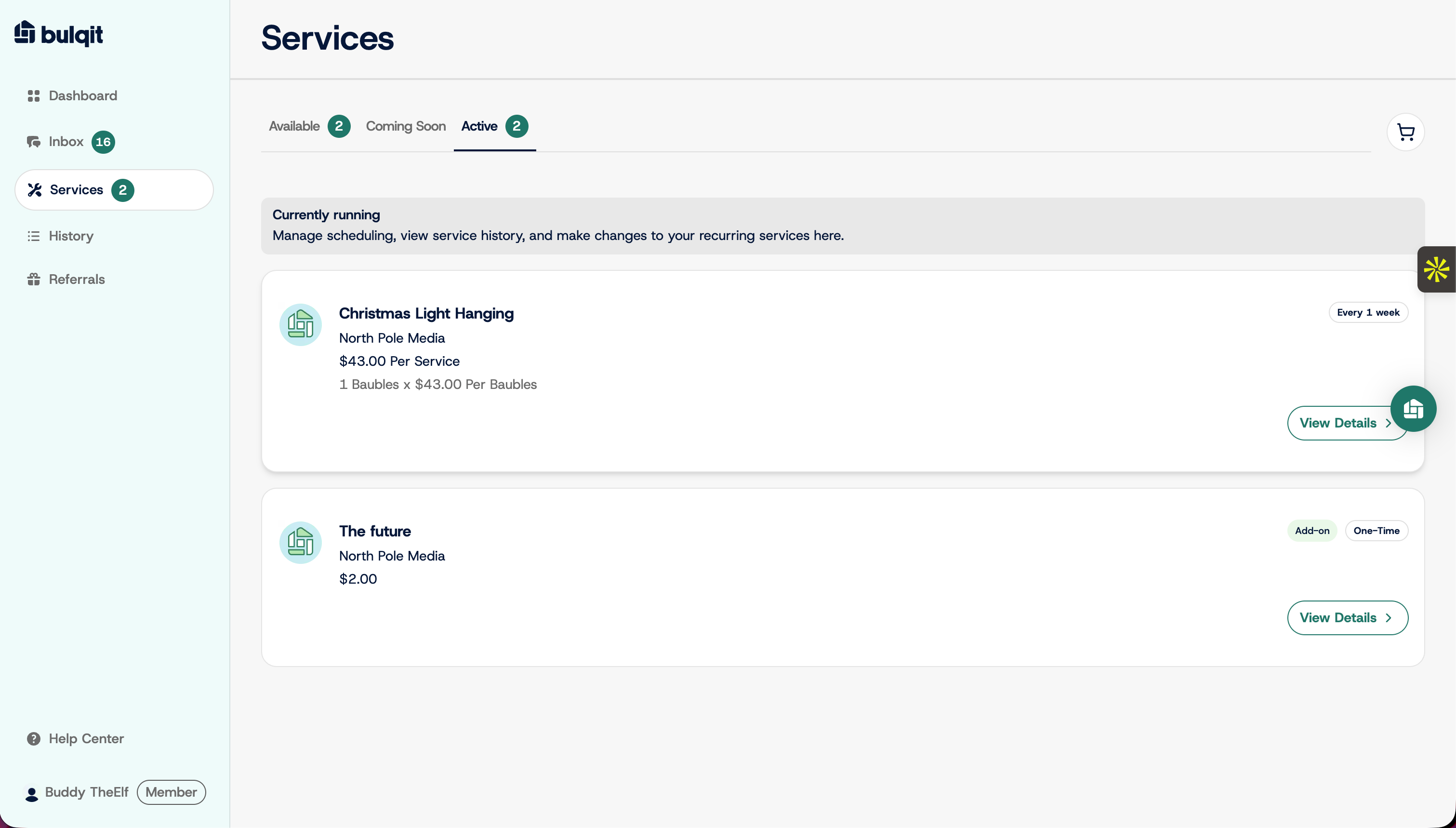
Step 1 — Open the service's detail panel
From your dashboard, click Services in the sidebar, select the Active tab, then click View Details on the service in question.
Step 2 — Open the service menu
Click the three-dot menu in the service detail panel.
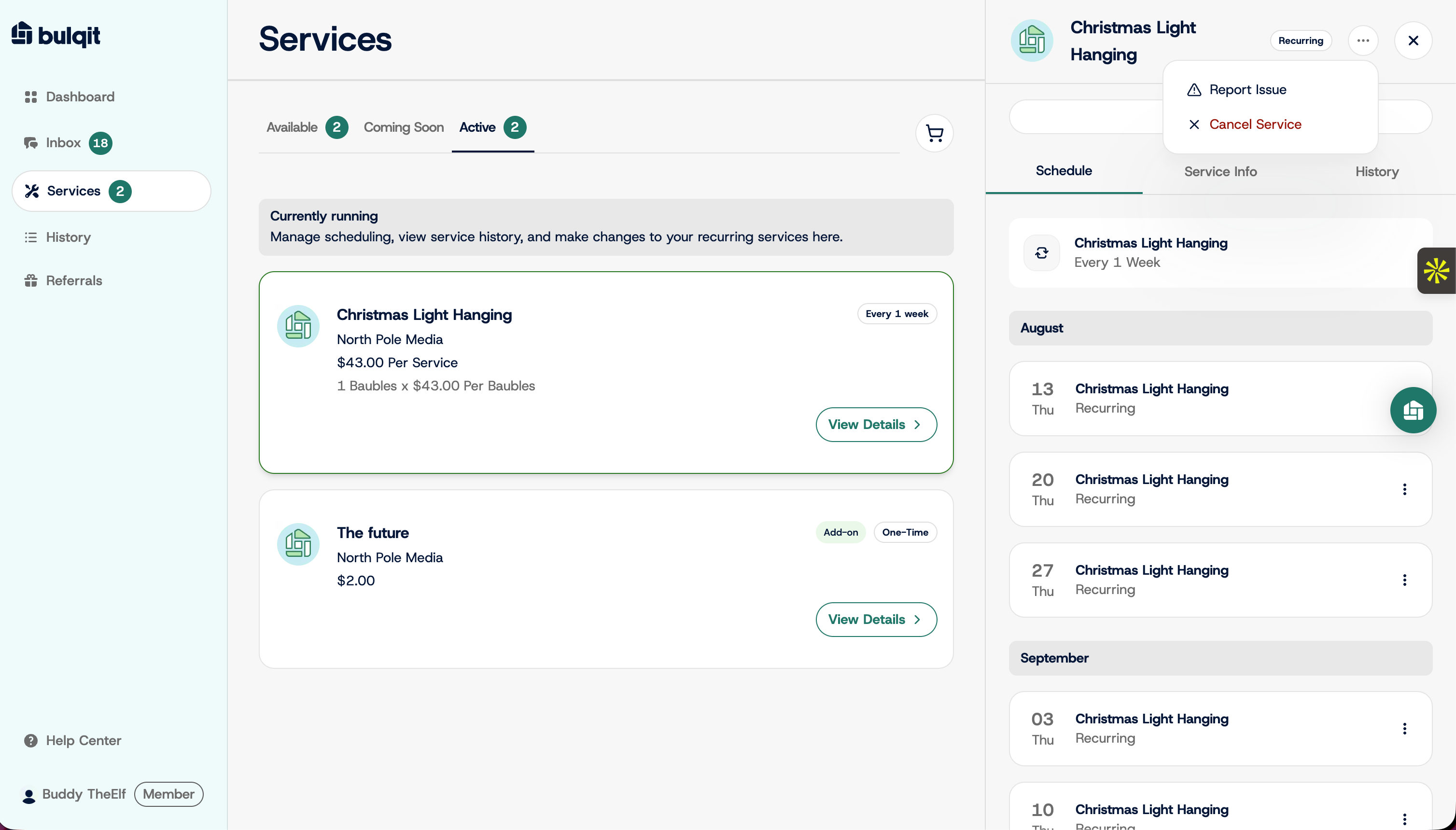
Step 3 — Select Report Issue
Click Report Issue ⚠. It sits directly above Cancel Service in the menu, so check which one you're clicking.
Step 4 — Message Bulqit Help
Describe what happened and send. Include the visit date and what you expected versus what you got. Photos help if there's damage or incomplete work. Your Vendor doesn't see this message, it goes to the Bulqit team.
If you want to rate the visit as well, see Rating + Request Resolution. Reporting an issue and leaving a rating are separate actions.