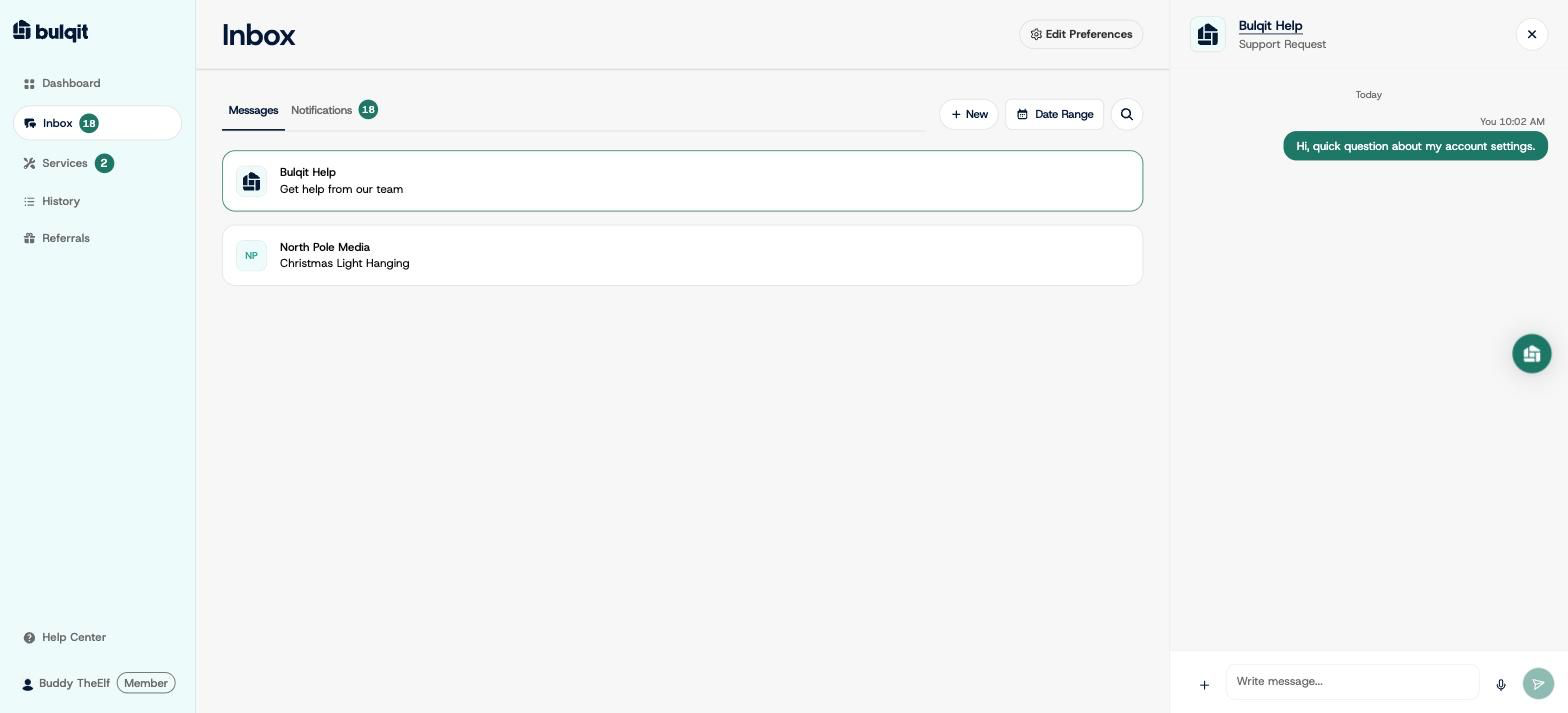
Inbox : Send a Message to Bulqit
Edited
Here's how to message the Bulqit team directly. Use it for billing questions, account changes, anything about your Block, or anything you'd rather not raise with your Vendor.
Step 1 — Go to your Inbox
From your dashboard, click Inbox in the sidebar.
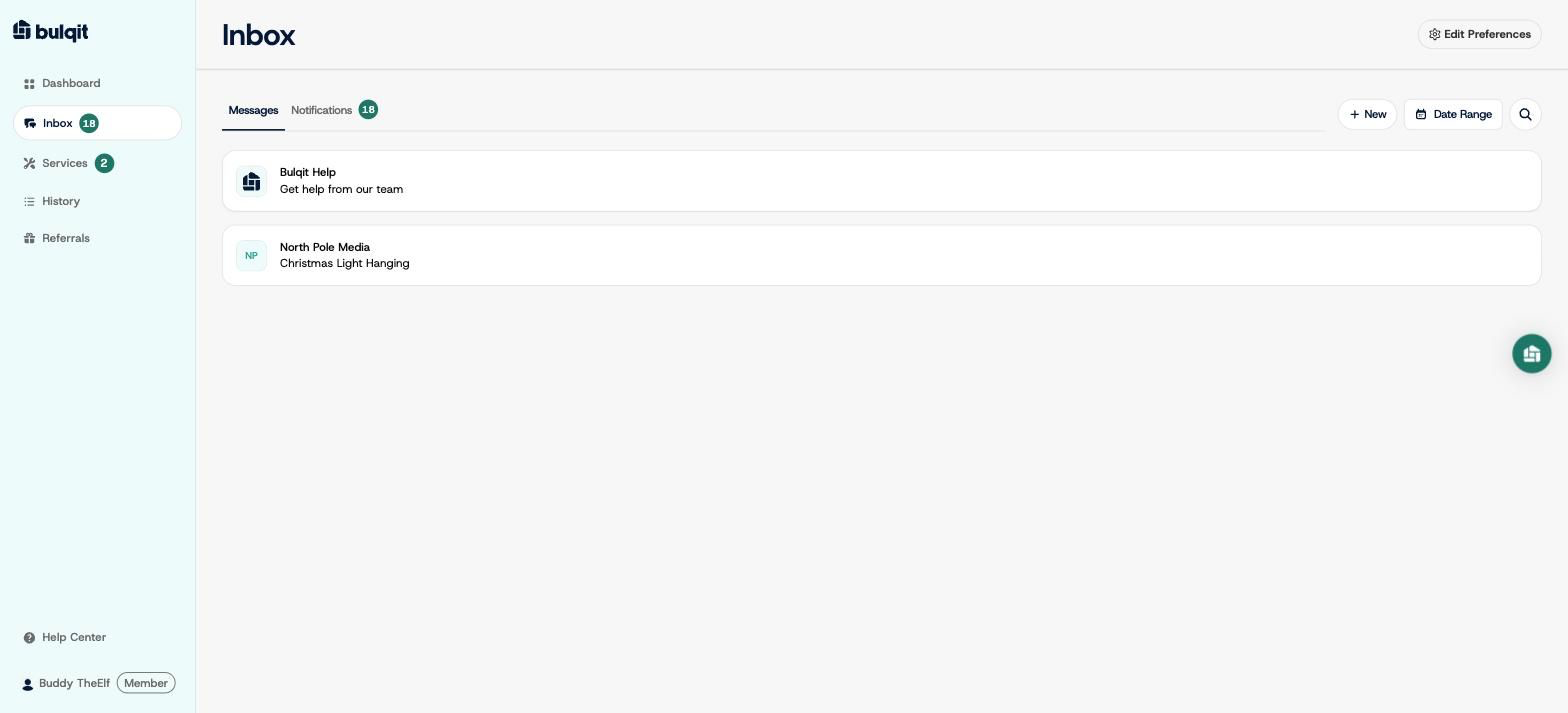
Step 2 — Click New
Click New, then select Bulqit Help from the list. It's labeled "Get help from our team" and sits above your Vendor conversations.
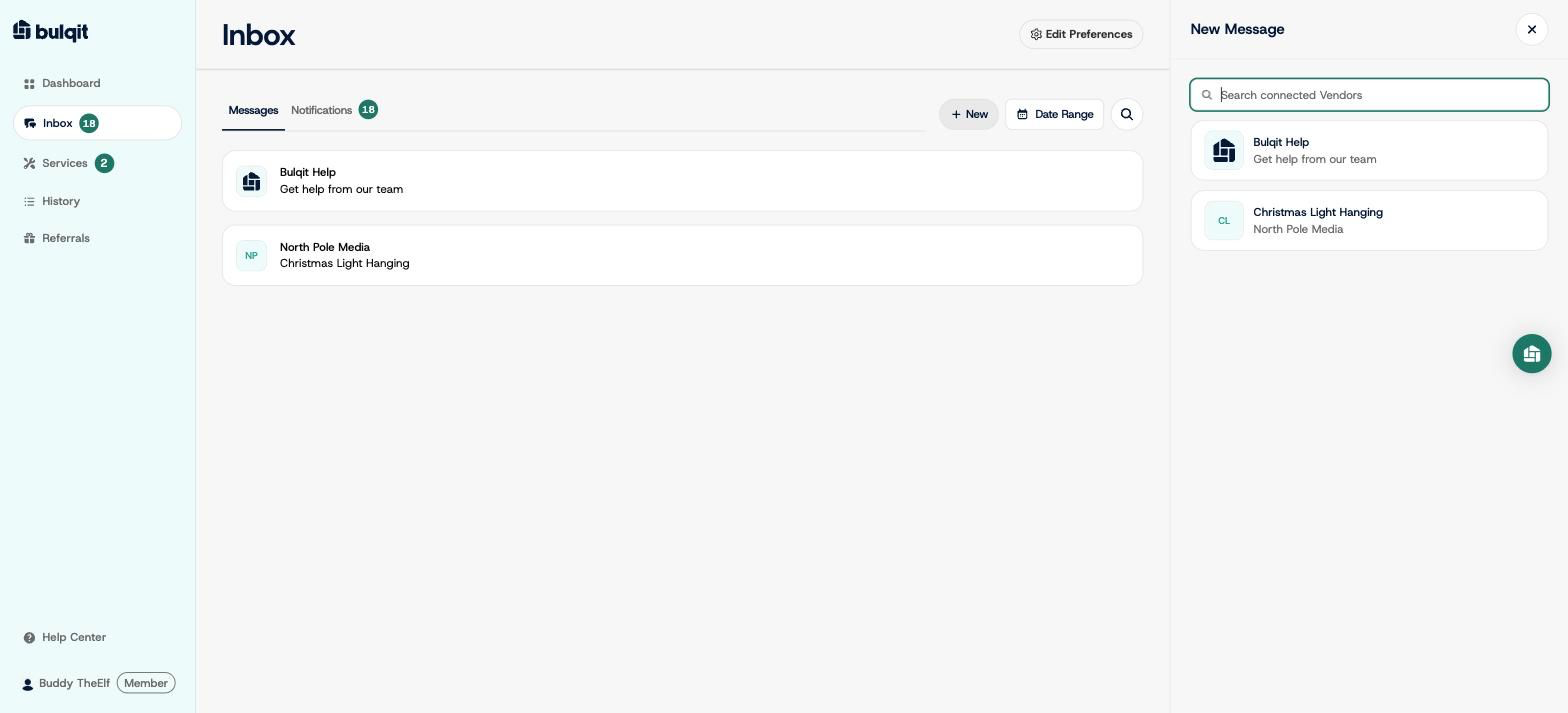
Step 3 — Write and send your message
Type your message and send. Everything you send us stays in this one thread, so you can scroll back through past conversations. Your Vendor(s) can't see anything in this thread.